Prompt Detail
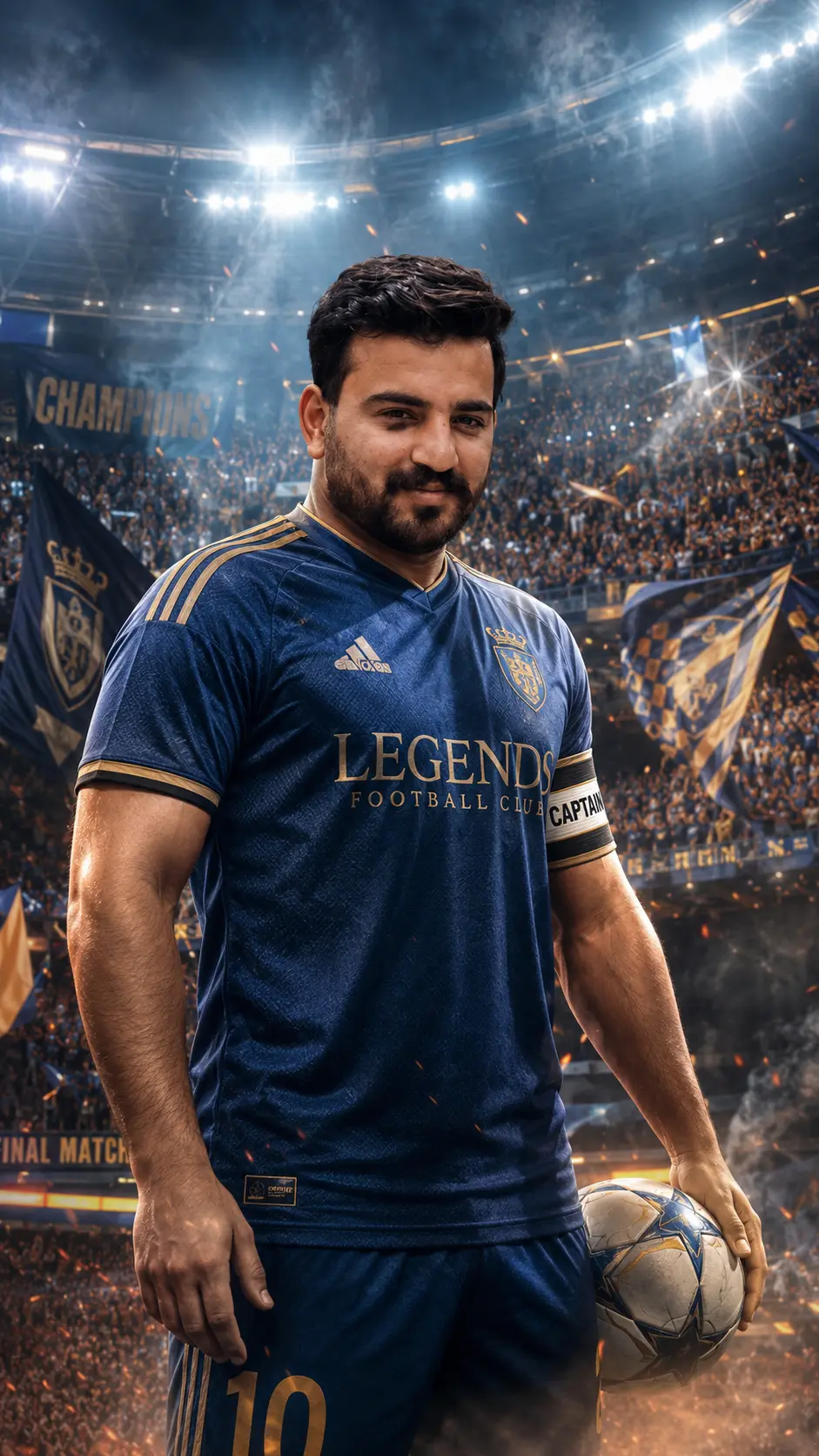
Team Captain Matchday Poster
Copy Prompt
Copy the full prompt text to use it anywhere you like.
Copy was blocked by your browser. Select the prompt text below and copy it manually.
Choose image aspect ratio
Selected:Original keeps the saved wording. Choosing a ratio edits the copied text; also set the output size in your image tool.
Copy was blocked by your browser. Select the prompt text below and copy it manually.
Prompt guide
How to use this AI image prompt
Overview
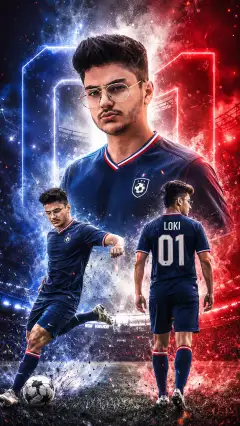
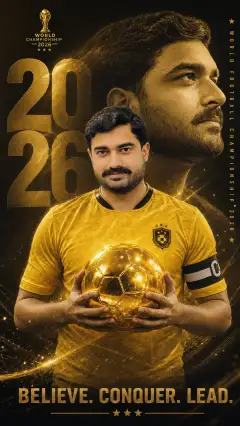
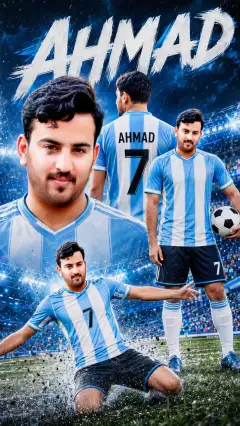
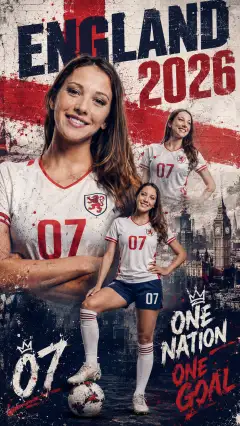
Team Captain Matchday Poster is an AI image prompt designed to turn an uploaded portrait into a dramatic vertical football poster. The concept places the person at the center of a packed stadium, dressed in a premium football jersey and captain armband. Cinematic lighting, subtle smoke, crowd energy, and a confident pose create the atmosphere of a major match before kickoff.
This prompt is useful for anyone who wants a polished sports editorial look while keeping the subject’s face and identity recognizable. It can work as a ChatGPT image prompt, Gemini image prompt, or Gemini photo prompt when the chosen model supports reference-image editing. It is also suitable as an AI photo editing prompt for transforming a clear portrait into promotional football artwork.
The required 9:16 ratio makes the composition especially appropriate for mobile-first designs. Rather than producing a casual player portrait, the prompt aims for a premium event-poster finish with sharp focus, realistic detail, athletic proportions, and a strong heroic presence.
Best Use Cases
This AI image prompt is ideal for football fans, players, team captains, sports creators, and designers who want a personalized matchday visual. It can be used for vertical social posts, match announcements, player introductions, captain features, and football-themed profile artwork.
The format also suits sports editorial concepts in which one player must remain the clear visual focus. A confident central stance and intense expression help communicate leadership, pressure, and anticipation before a big game. Because the scene includes stadium lights, a crowd, and restrained atmospheric smoke, it can deliver event energy without requiring a complicated background description.
For best relevance, use it when the uploaded person should appear as the featured captain rather than as one member of a wider team scene. The portrait-led approach also makes it a practical soccer player prompt for personal creative projects and premium football poster ideas.
How to Customize This Prompt
Adjust a few controlled details to make the result fit a specific visual direction while preserving the core captain concept:
- Describe the jersey colors, collar style, sleeve treatment, or overall premium finish. Avoid requesting protected team branding unless you have permission to use it.
- Choose the captain’s pose, such as standing with arms crossed, hands at the sides, or shoulders squared toward the viewer.
- Refine the expression with terms such as focused, determined, calm, or intense.
- Set the lighting mood with cool stadium lights, warm highlights, strong rim lighting, or a more balanced editorial treatment.
- Specify whether the background crowd should be softly blurred or visibly energetic while still keeping attention on the player.
- Control the smoke level. Subtle smoke supports realism, while heavier effects may make the result feel more theatrical.
- Leave intentional clear space near the top or bottom if you plan to add matchday text later.
When adapting it as a Gemini image prompt or ChatGPT image prompt, keep the identity-preservation instruction near the beginning. Change only a few creative variables per attempt so it is easier to understand which wording improved the output.
Tips for Better Results
A strong reference photo has a major effect on facial accuracy and overall realism. Use a clear image in which the person’s face is visible, well lit, and not heavily covered or blurred.
- Match the reference angle to the desired poster pose whenever possible. Large changes in head angle can reduce likeness.
- Use a high-resolution source with natural facial detail and minimal filters.
- Keep the person as the main subject rather than uploading a crowded group image.
- Ask for realistic hands, consistent jersey details, natural shoulders, and believable athletic body proportions if the first result contains distortions.
- Preserve the 9:16 output instruction so the model leaves enough vertical room for the player, stadium, and overhead lights.
- Request sharp focus on the face and softer background separation to strengthen the sports editorial hierarchy.
- Generate several variations because lighting, crowd placement, clothing details, and facial consistency may differ between attempts.
As an AI photo editing prompt, it should be used only with an image you are allowed to edit. Review small details such as the armband, jersey edges, fingers, facial features, and stadium structure before publishing or adding typography.
What to Expect
The expected result is a vertical football matchday poster with the uploaded person presented as a commanding team captain. The player should dominate the frame, with the jersey, captain armband, intense expression, packed stadium, cinematic lights, smoke, and crowd atmosphere working together to create a premium event mood.
Results will vary by model and its ability to follow reference images. Some tools may preserve the face well but simplify the crowd, while others may produce stronger atmosphere with small changes to clothing or anatomy. A Gemini photo prompt may also be interpreted differently from the same wording in another image model.
Expect to refine one or two elements after the first generation. Prioritize identity, facial realism, proportions, and composition before adjusting decorative effects. With a suitable reference and focused revisions, the concept can produce convincing team captain artwork with the visual impact of a professional football superstar poster.