



















































394
6
Category Detail
Choose a couple portrait idea, copy its full prompt, and adapt the pose, outfits and setting. Explore wedding, beach, rainy and anime examples.


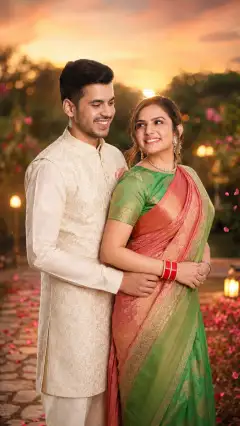




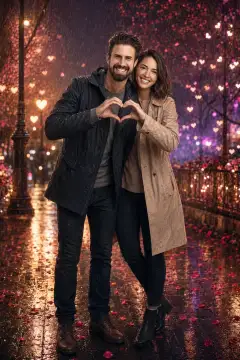
Start with the rose-garden portrait for a floral setting, or Sunset Beach Couple Love Story for warm outdoor light. The traditional Indian attire and wedding portraits offer formal clothing ideas. For movement and atmosphere, explore the rainy portrait or dancing couple; the cherry-blossom anime example offers an illustrated style. Open an image above to read and copy its complete prompt. Choose the composition that fits your idea before changing clothing or background details. The existing examples were generated with ChatGPT; using their text in another tool does not guarantee the same result.
Separate the instructions for each person so clothing and positions are easy to follow. Specify who stands on the left or right, where each person looks, and whether you want a close portrait, a waist-up view or a full-body composition. Prompt pattern: Create a [photographic / illustrated] portrait of two people in [setting]. Place person one on [side] wearing [outfit], and person two on [side] wearing [outfit]. They are [pose or action]. Use [lighting], show [framing], and keep [important details] visible. Example to adapt: Create a photographic portrait of two adults walking beside the sea at sunset. Place the person in a cream jacket on the left and the person in a blue outfit on the right. They look toward each other, with relaxed arms and natural expressions. Use warm side lighting and a full-body composition with space around their feet. This example is a writing starting point, not a tested output.
If the prompt refers to an uploaded photo, use an image tool that supports reference-photo editing. Identify the details you want to keep, then describe the changes: for example, keep the two people and their pose while changing the background. If you are creating fictional people without a reference, remove instructions about an uploaded photo. Inspect both faces, hands, clothing and body positions after generation. A request to preserve likeness is an instruction, not a guarantee. If features blend or an extra person appears, simplify the scene and restate that the image should contain exactly two people. Change one detail at a time when refining the result.
Open an example, copy the full prompt and replace the outfits, setting and pose with your choices. Describe both people separately. Supply a reference photo only when the task requires one and your chosen tool supports it.
For fictional people, describe their appearance and remove references to an uploaded image. If you want a portrait of specific people, a written description alone should not be treated as proof that the result will match their likenesses.
Exact preservation is not guaranteed. Check each face against the source photo, along with skin tone, hair, hands and pose. Clear instructions about what to keep can guide an edit, but every result needs review.
Reuse the descriptive idea, then adjust the wording and supported settings for your chosen tool. Reference-image handling and output controls vary. A ChatGPT example does not establish tested compatibility with Gemini or another model.
The current examples include traditional Indian attire and wedding-style couple portraits. Use them as starting points for outfits, poses and lighting; the collection does not claim to represent every wedding tradition.