Prompt Detail
Romantic Couple with Red Roses at Seaside Sunset - Soulmate Photography
Copy Prompt
Copy the full prompt text to use it anywhere you like.
Copy was blocked by your browser. Select the prompt text below and copy it manually.
Choose image aspect ratio
Selected:Original keeps the saved wording. Choosing a ratio edits the copied text; also set the output size in your image tool.
Copy was blocked by your browser. Select the prompt text below and copy it manually.
Prompt guide
How to use this AI image prompt
Overview
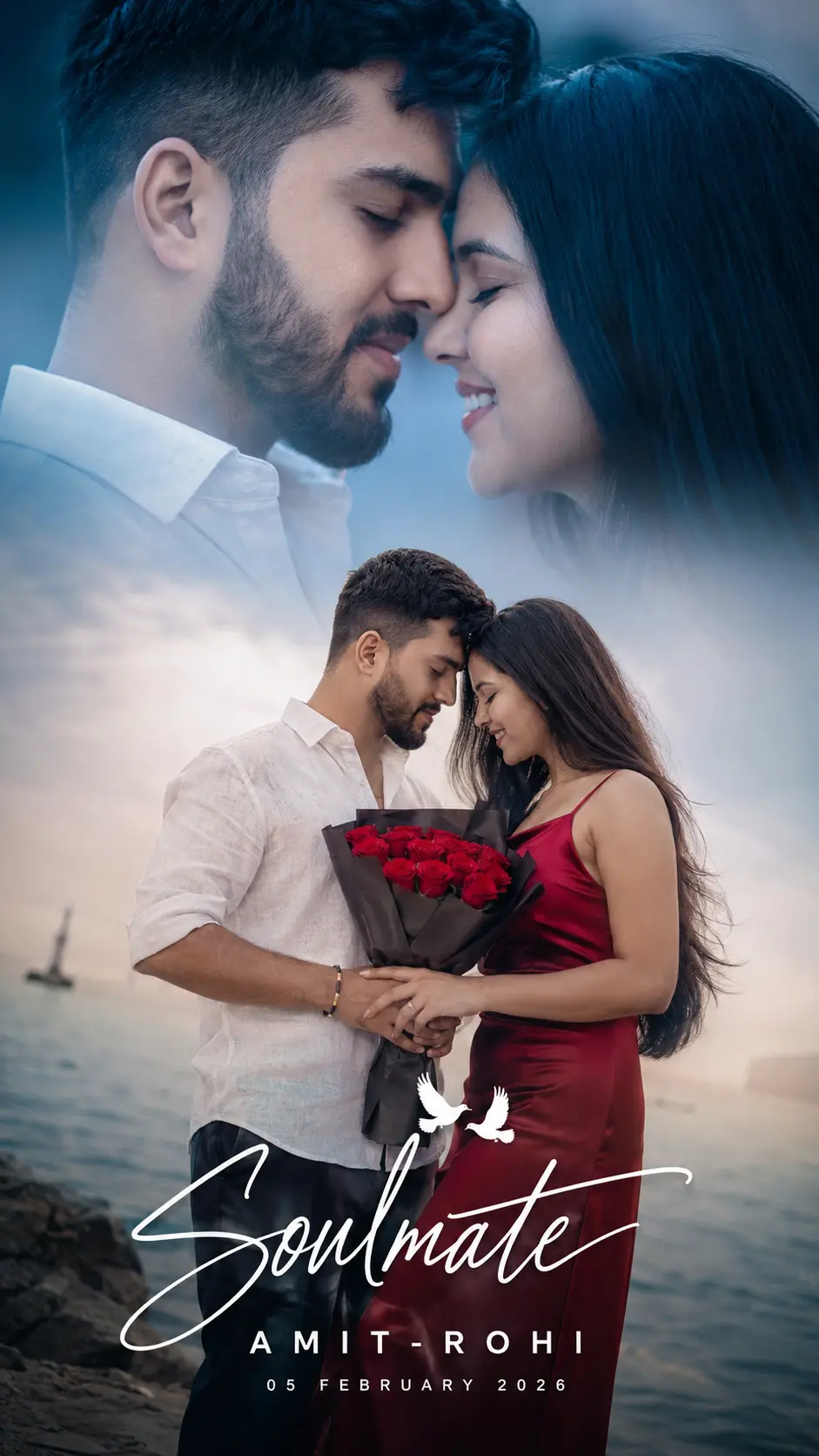
This romantic couple photography prompt is designed to create a hyper-realistic, editorial pre-wedding poster in a 2:3 portrait format. Its strongest feature is a dual-zone composition: a cool blue extreme close-up at the top and a warm full-body seaside portrait at the bottom. The contrasting color treatments add emotional depth while keeping the couple’s intimate connection at the center of the design.
The upper scene emphasizes closed eyes, gentle smiles, touching foreheads, sharp facial detail, and creamy background blur. The lower scene expands the story with coordinated clothing, a dark-paper-wrapped red roses bouquet, and a softly blurred ocean horizon. Signature-style typography completes the poster with the title Soulmate, the couple name JACK-ROSE, the date 05 FEBRUARY 2022, and two small dove silhouettes.
This is a detailed AI image prompt for users who want a polished cinematic result rather than a basic couple portrait. It can work as a ChatGPT image prompt, Gemini image prompt, or Gemini photo prompt, although exact composition, typography, and facial consistency will vary by model.
Best Use Cases
This prompt is especially useful for engaged couples, wedding photographers, portrait studios, designers, and social media creators. It provides a ready-made concept for a pre-wedding photoshoot poster, romantic announcement, framed keepsake, or editorial-style couple feature.
The vertical format suits printed portrait posters and mobile-first sharing. The emotional posing also makes it appropriate for anniversary artwork or a personalized celebration of a couple’s relationship. Photographers can use the concept as a visual direction guide for wardrobe, bouquet styling, lighting, lens choice, and seaside posing.
It is also a practical starting point for anyone searching for a romantic couple AI photo editing prompt. When a model supports reference images or image editing, users can adapt the described layout and styling to their own couple photographs while preserving the intended blue-and-warm cinematic contrast.
How to Customize This Prompt
Personalization works best when the core structure remains stable. Keep the two-zone layout, intimate posing, and contrasting color grades, then modify only the details needed for the final occasion.
- Replace JACK-ROSE with the couple’s names and update 05 FEBRUARY 2022 to the correct event date.
- Change Soulmate only if a different short romantic title is needed. Brief titles are generally easier for image models to render.
- Adjust the wardrobe colors while retaining strong separation between the subjects and the ocean background. The deep red satin dress and red rose bouquet currently provide the main warm focal points.
- Refine the ocean setting by specifying how visible the horizon should be, but preserve the soft blur and shallow depth of field.
- Increase or reduce the cool blue-steel treatment in the close-up depending on whether the desired mood is dramatic or gentle.
- If using reference photos, request consistent facial identity, hairstyle, skin tone, and proportions in both zones.
For an AI photo editing prompt, specify which original details must remain unchanged. Avoid changing names, clothing, pose, background, and color treatment all at once, because too many revisions can weaken visual consistency.
Tips for Better Results
Complex poster layouts may require more than one generation. Start with the complete concept, evaluate the composition, and then correct individual issues through targeted revisions.
- Keep the 2:3 portrait ratio explicit so the model leaves enough vertical space for both scenes and the bottom typography.
- Prioritize facial clarity and identity consistency. The couple should look like the same people in the macro close-up and full-body scene.
- Retain the 85mm f/1.2 photography language, shallow depth of field, ISO 200, and daylight balance to encourage a premium portrait look.
- Ask for realistic hands and a clearly formed bouquet, since overlapping fingers around flowers can be difficult for some generators.
- Generate the photographic composition first if lettering appears distorted. Add the names and date afterward with an editing tool for dependable spelling.
- Keep the cinematic haze subtle. Excessive haze can soften faces, clothing edges, and bouquet detail.
- Use negative instructions such as no illustration, no duplicate people, no extra fingers, and no unreadable text when the chosen model accepts them.
Different platforms interpret camera terminology and layout instructions differently. A ChatGPT image prompt may follow the poster hierarchy well, while a Gemini image prompt may need a second pass focused specifically on text placement or matching the couple across both zones.
What to Expect
The intended result is an ultra-realistic romantic couple photography poster with a premium editorial pre-wedding aesthetic. Expect a cool, tightly framed emotional portrait above a warmer seaside scene featuring the white linen shirt, deep red satin dress, and red roses bouquet. Creamy bokeh, subtle photographic grain, soft haze, and an overcast ocean background should create a refined cinematic finish.
Strong models should reproduce the overall mood, wardrobe contrast, and intimate forehead-to-forehead poses. However, tiny dove silhouettes, handwritten lettering, exact names, dates, and dual-zone blending may need refinement. No model can be expected to return an identical result every time. The most reliable workflow is to select the strongest composition, correct anatomy or identity issues, and finalize the typography separately if necessary.