Prompt Detail
Enchanted Rose Garden Romance - Image Prompt
Copy Prompt
Copy the full prompt text to use it anywhere you like.
Copy was blocked by your browser. Select the prompt text below and copy it manually.
Choose image aspect ratio
Selected:Original keeps the saved wording. Choosing a ratio edits the copied text; also set the output size in your image tool.
Copy was blocked by your browser. Select the prompt text below and copy it manually.
Prompt guide
How to use this AI image prompt
Overview
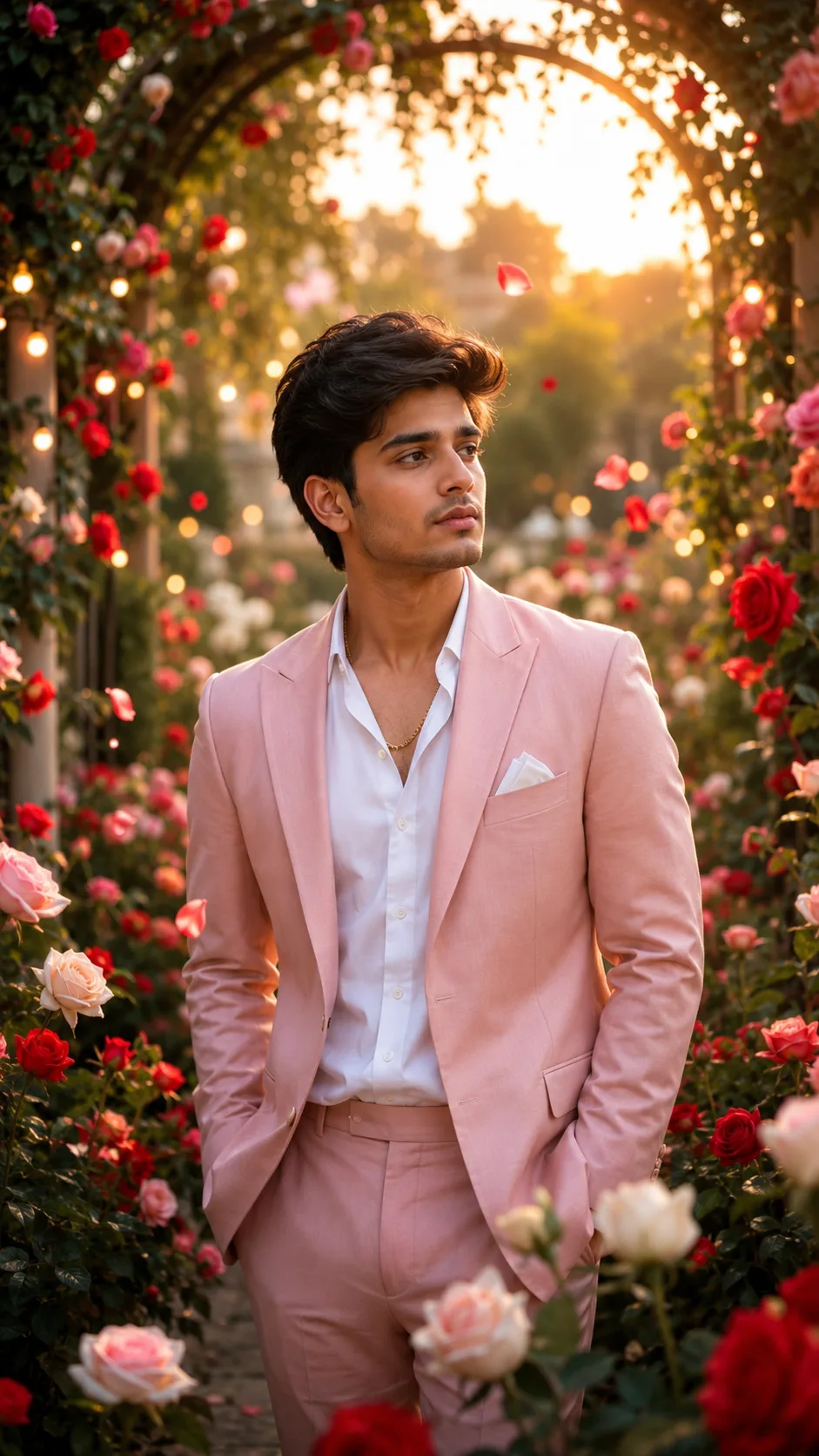
Enchanted Rose Garden Romance is a cinematic AI photo editing prompt for transforming an uploaded portrait into an elegant golden-hour garden scene. It places the subject among red, blush-pink, and cream roses, graceful arches, soft greenery, floating petals, glowing lights, and warm sunlight. Dreamy haze, background bokeh, realistic skin texture, and shallow depth of field create a premium romantic editorial look.
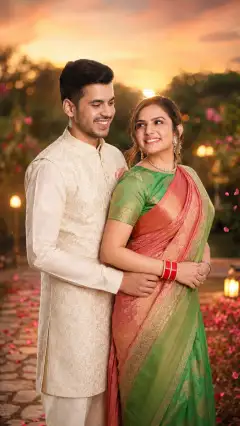
The prompt prioritizes identity preservation. Facial structure, skin tone, hairstyle, age, body proportions, and natural expression should remain recognizable. It also gives clear instructions about the number of people: a solo photo stays solo, while a two-person photo retains both subjects. This makes it especially useful for users who want romance in the setting without having an unwanted partner invented.
Designed as a vertical 9:16 AI image prompt, it suits mobile viewing and story-style presentation. It can be used as a ChatGPT image prompt, Gemini image prompt, or Gemini photo prompt when the chosen tool supports uploaded reference photos and image generation or editing.
Best Use Cases
This prompt is ideal for romantic portraits, couple keepsakes, elegant garden-themed edits, love-focused social posts, and cinematic profile content. A single person can receive a dreamy, refined portrait without changing the scene into a couple composition. When the source contains two people, the garden atmosphere can enhance their connection while retaining both identities.
It is also useful for turning a simple photo into a polished romantic concept without requesting an artificial or heavily stylized appearance. The realistic lighting, natural anatomy, restrained makeup, and editorial finish make it suitable for users who prefer believable photography over cartoon effects.
Portrait creators, couples, and anyone exploring dream-scene photography can use this AI photo editing prompt. Its rose garden, warm highlights, and magical floral details are particularly well suited to love-themed imagery where emotion and recognizable faces matter equally.
How to Customize This Prompt
The core instructions are already detailed, but small changes can make the result better suited to a specific photo or creative goal. Preserve the identity and anatomy safeguards while adjusting selected visual details.
- Change the balance of red, blush-pink, and cream roses to emphasize a warmer, softer, or more dramatic palette.
- Request fewer floating petals or glowing lights for a more realistic editorial photograph, or slightly more for a dreamier atmosphere.
- Adjust the romantic outfit by describing its color, level of formality, or fabric while ensuring it complements the garden and respects the subject’s natural body shape.
- Refine the framing as a close portrait, waist-up composition, or fuller vertical view, while retaining the 9:16 format.
- Emphasize either the garden arches, rose-covered foreground, warm sunlight, or soft bokeh depending on the desired focal balance.
- For two people, specify a natural pose or gentle interaction without requesting changes to either person’s face, age, proportions, or expression.
When adapting this as a Gemini photo prompt or ChatGPT image prompt, keep the most important identity instructions near the beginning. Avoid adding conflicting style terms such as cartoon, illustration, or extreme beauty retouching because they work against the intended realistic, cinematic finish.
Tips for Better Results
Start with a clear uploaded photo in which faces are visible and not heavily blurred, shadowed, or obstructed. A well-lit reference generally gives the model more useful information for preserving facial structure, hairstyle, skin tone, and natural expression. If two people are present, choose a photo where both faces can be seen clearly.
- Use a source image with enough space around the subject when possible, giving the model room to build the roses, arches, and vertical garden composition.
- Keep the number of subjects unambiguous. Crop out unrelated background people before editing if they should not appear in the result.
- Review hands, fingers, facial details, and body proportions closely after generation, as these areas can vary between models.
- If the face changes too much, repeat the request with stronger emphasis on recognizable facial structure and natural skin texture.
- If the scene looks artificial, reduce the glowing lights, haze, petals, or background complexity and prioritize realistic golden-hour photography.
- If the face is soft, ask for sharper facial focus while keeping shallow depth of field limited to the garden background.
Different tools interpret the same AI image prompt differently. Generate more than one version when available, then select the image with the strongest identity accuracy, anatomy, and lighting rather than relying only on the most decorative background.
What to Expect
The expected result is a vertical romantic portrait with a sharp, recognizable subject set against a rich rose garden. Warm filtered sunlight, soft shadows, gentle haze, floral bokeh, and small glowing accents should produce a cinematic yet believable mood. Clothing may be refined into an elegant romantic style while the person’s natural body shape remains intact.
A successful result should feel polished and emotional without looking overly retouched. Skin should retain realistic texture, the background should appear lush and magical, and no text, logos, or watermarks should be introduced.
Results will vary by model, reference-photo quality, and image-editing capabilities. Some generations may require another pass to correct hands, duplicate figures, facial drift, or excessive smoothing. Used carefully, this romantic garden AI image prompt offers a practical foundation for realistic, dreamy love portraits across compatible creative tools.