

























































Prompt Detail
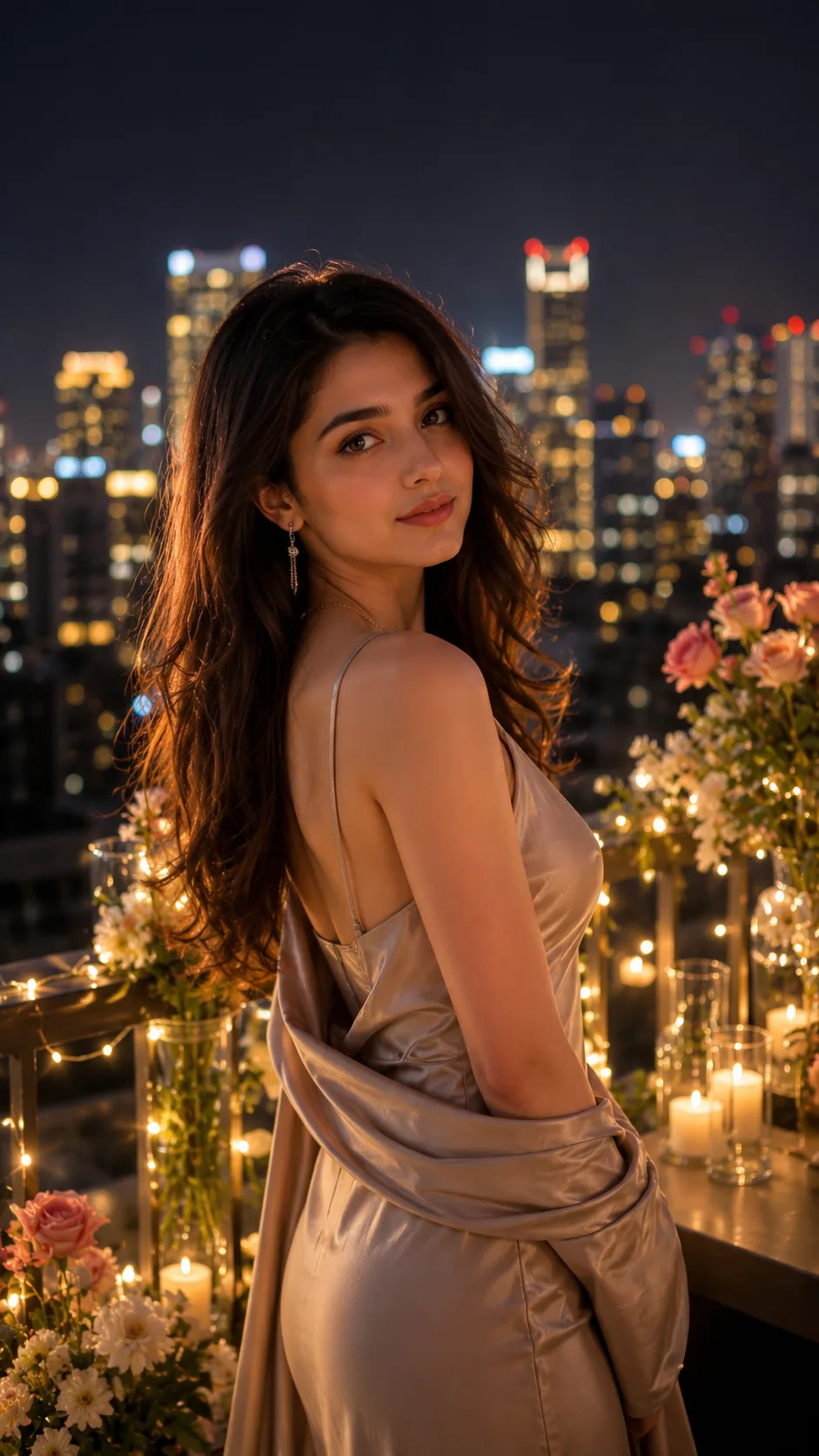
Love Under the City Lights - Picture Prompt
Copy Prompt
Copy the full prompt text to use it anywhere you like.
Copy was blocked by your browser. Select the prompt text below and copy it manually.
Choose image aspect ratio
Selected:Original keeps the saved wording. Choosing a ratio edits the copied text; also set the output size in your image tool.
Copy was blocked by your browser. Select the prompt text below and copy it manually.
Prompt guide
How to use this AI image prompt
Overview
Love Under the City Lights is a cinematic rooftop portrait concept designed to turn an uploaded photo into a polished, romantic night scene. The composition places the person beside an elegant railing above a modern skyline, using warm decorative lighting, candles, flowers, and golden-blue bokeh to create an intimate luxury atmosphere. A vertical 9:16 frame makes the result especially suitable for mobile wallpapers, Stories, Reels covers, and portrait-oriented social posts.
This AI image prompt prioritizes recognizable facial features, natural proportions, realistic skin, and a clearly visible face. It also adapts to the reference: a photo containing one person should remain a solo romantic portrait rather than introducing an invented partner. Details such as a gentle breeze, cinematic rim light, soft shadows, realistic reflections, and atmospheric depth help the scene feel fashionable without losing emotional warmth.
The concept can be used as a ChatGPT image prompt, Gemini image prompt, or Gemini photo prompt, depending on the image features available in the chosen tool. It is best treated as a detailed creative direction rather than a guarantee of identical output across different models.
Best Use Cases
This prompt is ideal for couples or individuals who want a premium date-night portrait without arranging a real rooftop shoot. It works well for romantic social media posts, anniversary artwork, engagement-inspired visuals, personalized gifts, profile images, fashion editorials, and cinematic phone backgrounds.
Photographers and content creators can use it to explore lighting, wardrobe, and composition ideas before a styled session. Fashion and lifestyle users may also find it useful for presenting eveningwear in a glamorous urban setting. Because the instructions preserve a solo subject when only one person is visible, it is equally useful for elegant self-portraits that communicate romance through mood rather than through an added character.
As an AI photo editing prompt, it suits clear portrait references where the face, hairstyle, skin tone, and body proportions can be interpreted reliably. It is less suitable for tiny faces, extreme motion blur, or heavily obstructed subjects.
How to Customize This Prompt
Keep the core rooftop, nighttime, and cinematic elements intact, then adjust selected details to match the occasion or personal style.
- Change the evening outfit to a black tuxedo, satin gown, tailored suit, modest formal dress, or another refined date-night look.
- Specify a skyline mood, such as futuristic towers, a contemporary downtown, or a softer luxury-hotel rooftop view.
- Adjust the lighting balance toward warm candlelight, cool blue city ambience, or a balanced gold-and-blue palette.
- Choose floral accents that fit the theme, including red roses, white flowers, or understated greenery.
- Define the emotional expression, such as a gentle smile, calm confidence, thoughtful elegance, or direct romantic eye contact.
- Refine the crop with full-length, three-quarter, waist-up, or close portrait framing while retaining the vertical format.
When adapting this into a Gemini image prompt or ChatGPT image prompt, avoid adding too many conflicting style instructions. A realistic luxury editorial will usually benefit from restrained decorations and believable lighting rather than excessive fantasy effects.
Tips for Better Results
Start with a sharp, well-lit reference in which the visible people are easy to identify. Front-facing or three-quarter views generally provide stronger facial guidance than distant profiles. If multiple people should appear, use a source where each face is sufficiently clear and not hidden by hair, hands, or accessories.
- State that facial identity and natural body proportions take priority over wardrobe and background changes.
- Keep the face illuminated even when requesting a dark city environment; otherwise, some models may produce dramatic but unclear features.
- Ask for realistic fabric movement from the breeze rather than strong wind, which can distort hair or clothing.
- Preserve negative space around the subject if the image will be used for a Story or cover, but do not request readable text inside the generated scene.
- Generate several versions and compare facial accuracy, hands, railing geometry, reflections, and skyline consistency.
- If anatomy errors appear, simplify the pose and keep hands naturally resting, relaxed at the side, or clearly separated from decorative objects.
For an AI photo editing prompt, make one major revision at a time. Changing the outfit, pose, lighting, flowers, and camera angle simultaneously may reduce consistency. Also check that no unwanted logos, signs, watermarks, duplicate limbs, extra fingers, plastic-looking skin, or exaggerated body shapes are present before using the image publicly.
What to Expect
A strong result should resemble a high-end romantic fashion editorial set above a glowing city. Expect a sharply rendered subject, flattering facial light, a subtle luminous edge around the hair or clothing, warm foreground details, and softly blurred skyscrapers that create depth without competing with the face.
The final mood should feel intimate, luxurious, realistic, and emotionally engaging rather than overly staged. Golden decorative lights and candles provide warmth, while blue city tones add modern nighttime contrast. The 9:16 composition should keep the person as the clear focal point and leave enough environmental detail to establish the rooftop location.
Results will vary by model, reference quality, and generation settings. Some tools may interpret identity, hands, bokeh, or reflections more accurately than others, so selective regeneration or small follow-up edits may be needed. Used thoughtfully, this cinematic rooftop AI image prompt offers a practical foundation for elegant romantic portraits with a polished urban-future atmosphere.