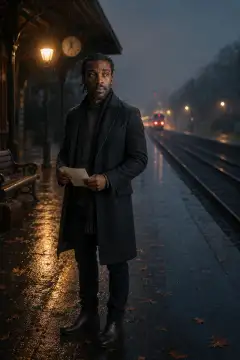
Prompt Detail
Romantic Walk in the Rain - Pic Prompt
Copy Prompt
Copy the full prompt text to use it anywhere you like.
Copy was blocked by your browser. Select the prompt text below and copy it manually.
Choose image aspect ratio
Selected:Original keeps the saved wording. Choosing a ratio edits the copied text; also set the output size in your image tool.
Copy was blocked by your browser. Select the prompt text below and copy it manually.
Prompt guide
How to use this AI image prompt
Overview
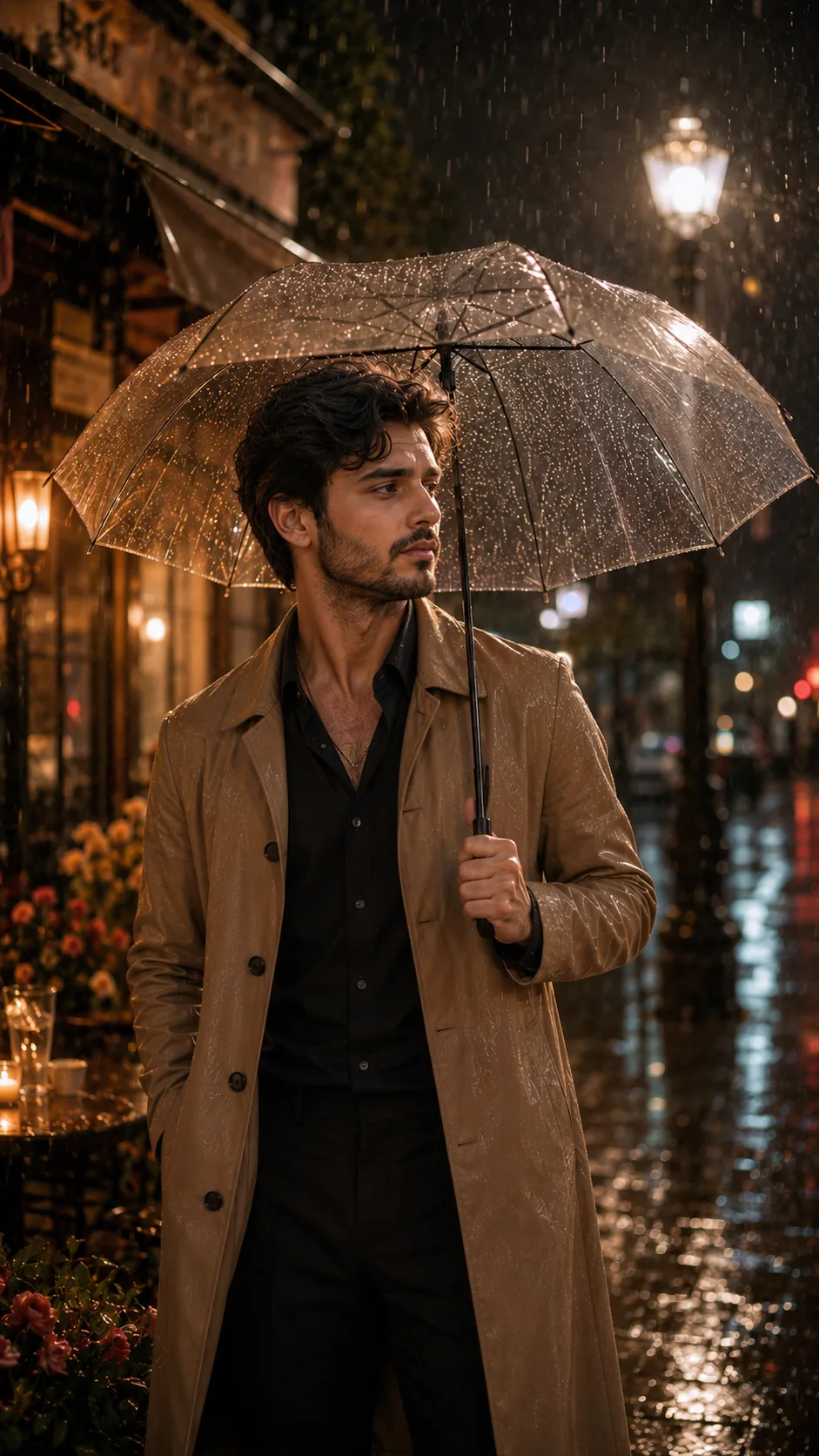
Romantic Walk in the Rain is a cinematic portrait prompt designed to transform an uploaded photo into an emotional nighttime street scene. It keeps the people in the reference photo as the central subjects while emphasizing recognizable faces, realistic proportions, natural skin texture, and an elegant romantic atmosphere. If the source contains only one person, the composition remains a solo portrait rather than inventing a partner.
The scene combines a transparent umbrella, gentle rainfall, glowing street lamps, soft café bokeh, wet pavement reflections, flower petals, and atmospheric mist. Cinematic backlighting and shallow depth of field create the polished feeling of a memorable moment from a romance film. The vertical 9:16 composition is especially suitable for mobile viewing, Stories, Reels, wallpapers, and poster-style artwork.
This versatile AI image prompt can be adapted as a ChatGPT image prompt, Gemini image prompt, or Gemini photo prompt. It also works as an AI photo editing prompt when the chosen tool supports reference-image uploads and identity preservation.
Best Use Cases
This prompt is ideal for couples, individuals, photographers, social media creators, and anyone who wants a realistic romantic portrait without arranging a nighttime rain shoot. It can turn an everyday photo into cinematic love-themed artwork while retaining the subject’s established appearance.
Use it for anniversary posts, romantic profile images, digital greeting cards, phone wallpapers, story covers, personal keepsakes, or fictional movie-poster concepts. A solo portrait can suggest longing, reflection, or quiet romance, while a reference containing two people can become an intimate shared walk beneath the umbrella.
The concept is particularly effective for photos with a clearly visible face, natural posture, and sufficient resolution. It suits users searching for a cinematic rain portrait prompt, romantic couple photo prompt, realistic rainy street AI art, or emotional night photography prompt.
How to Customize This Prompt
Begin with a clear source photo and adjust only the creative details needed for your intended result. Avoid changing too many visual elements at once, because competing instructions may reduce facial accuracy or scene coherence.
Helpful customization options include:
- Change the outfit to a tailored trench coat, formal evening wear, a long wool coat, or another elegant look that suits the subject.
- Specify a street mood, such as a quiet old-town lane, modern café district, flower-lined sidewalk, or softly illuminated urban avenue.
- Refine the emotion with terms such as hopeful, nostalgic, tender, peaceful, bittersweet, or deeply affectionate.
- Choose a color palette, including warm amber lamps, cool blue rain, muted pastels, or balanced teal-and-gold cinema tones.
- Adjust the framing to a full-body walk, three-quarter portrait, or closer umbrella portrait while retaining the vertical format.
- For two people, request natural eye contact, linked arms, or side-by-side walking only when both subjects already appear in the uploaded photo.
When adapting this as a Gemini photo prompt or ChatGPT image prompt, keep identity requirements near the beginning and atmospheric styling afterward. This gives the model a clearer priority order.
Tips for Better Results
Reference quality strongly affects the final image. Select a sharp, well-lit photo in which facial features, hair, body position, and clothing boundaries are easy to understand. Heavily filtered, blurred, cropped, or low-resolution sources can make faithful reconstruction more difficult.
For a cleaner result:
- Ask for light or moderate rain so droplets do not hide the eyes, mouth, or defining facial details.
- Keep the face as the sharpest focal point and place stronger bokeh behind the subject.
- Use soft facial illumination with restrained rim lighting to prevent an artificial cutout effect.
- Request physically believable reflections that correspond with nearby lamps and café lighting.
- Keep hand gestures simple, especially when a subject holds the umbrella handle.
- Preserve natural skin texture rather than requesting excessive smoothing or beauty retouching.
- Generate a few variations and compare face accuracy, hand anatomy, umbrella structure, and reflected light before choosing one.
Different tools interpret reference strength and editing instructions differently. If your first AI photo editing prompt changes the face too much, reduce outfit or pose changes and reinforce identity preservation. If the setting looks flat, emphasize layered depth: sharp subject, midground rainfall, and softly blurred background lights.
What to Expect
A successful result should resemble a premium cinematic still with a recognizable subject, realistic rain, controlled highlights, and an emotionally expressive nighttime setting. Expect the transparent umbrella and wet street to catch warm light, while mist, petals, and background blur add depth without overwhelming the portrait.
Results will not be identical across every model. Some systems may prioritize atmosphere over exact identity, while others may simplify reflections, hands, umbrella edges, or small environmental details. The strongest outputs usually come from a clear reference and focused instructions rather than repeated decorative additions.
Used thoughtfully, this romantic rain AI image prompt offers a practical way to create realistic, story-driven portraits that feel intimate, polished, and suitable for personal or social creative projects.