
















































Prompt Detail
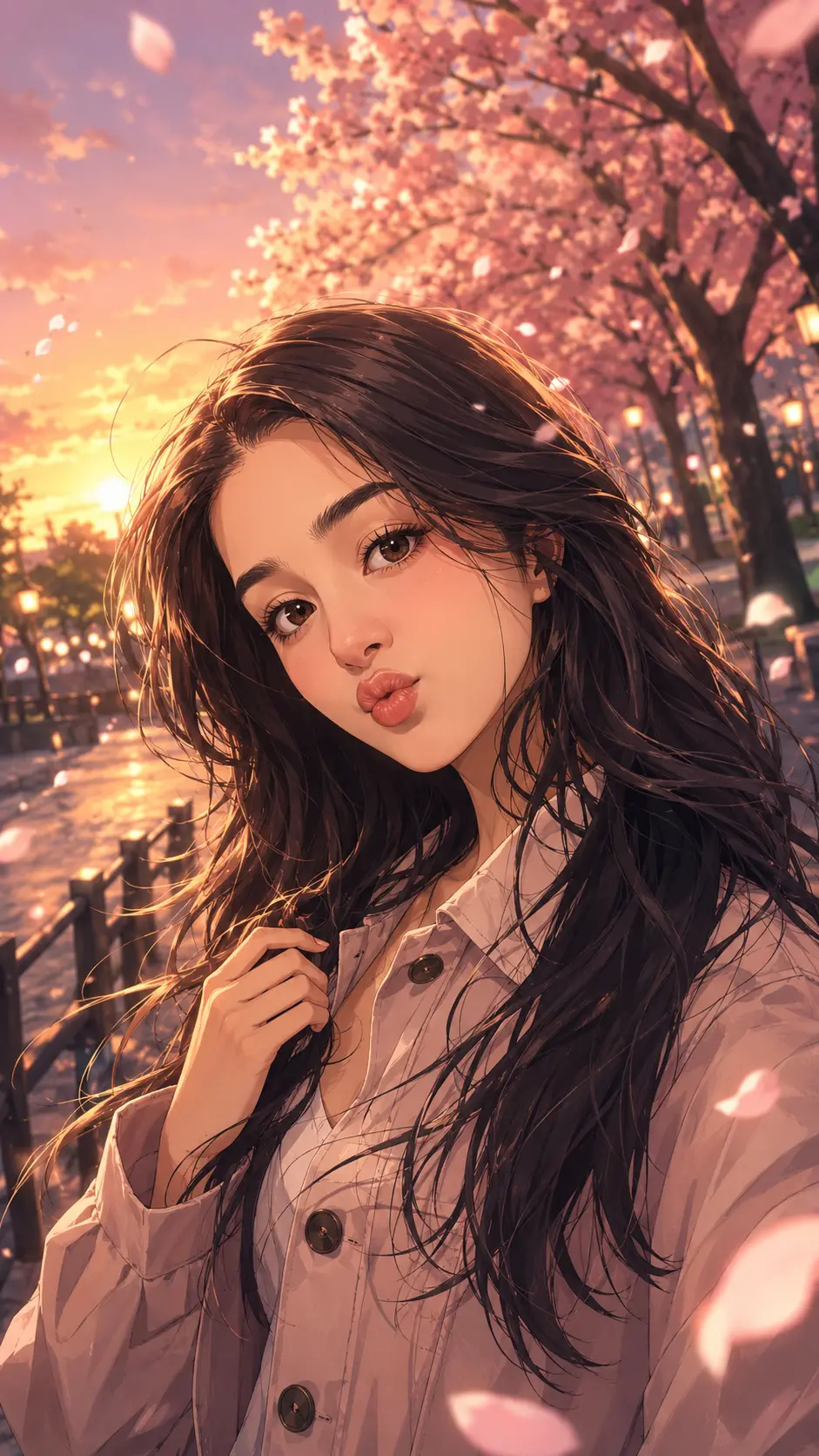
Cinematic Anime Portrait Under Cherry Blossoms at Sunset
Copy Prompt
Copy the full prompt text to use it anywhere you like.
Copy was blocked by your browser. Select the prompt text below and copy it manually.
Choose image aspect ratio
Selected:Original keeps the saved wording. Choosing a ratio edits the copied text; also set the output size in your image tool.
Copy was blocked by your browser. Select the prompt text below and copy it manually.
Prompt guide
How to use this AI image prompt
Overview
Cinematic Anime Portrait Under Cherry Blossoms at Sunset is a portrait-transformation prompt designed to turn an uploaded photo into a polished anime protagonist while retaining the person’s recognizable appearance. It emphasizes facial identity, face shape, skin tone, hairstyle, age, and overall likeness rather than producing a generic anime character.
The main visual direction combines a vertical 9:16 portrait, falling cherry blossoms, warm sunset light, expressive eyes, clean line art, smooth cel shading, and cinematic rendering. The result is intended to resemble a premium anime poster or an emotionally charged scene from a modern animated film.
This can be used as a ChatGPT image prompt, Gemini image prompt, or adaptable AI image prompt for models that accept a reference photo. It also works as an AI photo editing prompt when the goal is to preserve the subject while changing the style, clothing, lighting, and environment. The detailed instructions help the model balance recognizable identity with attractive anime stylization.
Best Use Cases
This prompt is especially useful for people who want a personalized anime profile picture, vertical social media artwork, character poster, phone wallpaper, or creative portrait gift. It suits solo portraits where the uploaded person should remain the clear focus of the composition.
Creators can use it to present themselves as the hero or heroine of a cinematic anime world. The cherry blossom pathway and golden sunset direction works well for soft, dreamy, romantic, confident, or slightly mysterious moods. It is also suitable for users exploring anime portrait ideas without having to specify every element of the character design manually.
As a Gemini photo prompt, it provides clear guidance for identity, atmosphere, anatomy, clothing, pose, and quality. That makes it practical for portraits that need more creative direction than a simple request to turn a photo into anime.
How to Customize This Prompt
The title supports a cherry blossom sunset scene, so keep those elements as the central direction for the most coherent result. You can still adjust the emotion, wardrobe, pose, and visual intensity without weakening the concept.
Helpful customizations include:
- Choose a mood such as calm and confident, soft and dreamy, cheerful and magical, or emotionally deep.
- Select modern Japanese streetwear, school-uniform-inspired fashion, fantasy clothing, or a heroic cinematic costume.
- Request a pose such as looking into the distance, turning toward the viewer, standing beneath falling petals, or looking over one shoulder.
- Define the sunset palette with warm gold, soft pink, orange, or dramatic red sky tones.
- Add a simple accessory, such as a bag or jacket, only when it supports the scene.
- Specify whether you want a close-up head-and-shoulders portrait, a waist-up composition, or a fuller character poster.
When adapting this into another Gemini image prompt or ChatGPT image prompt, avoid adding several competing locations. A cherry blossom pathway at sunset is more focused than combining neon rain, a mystical forest, lantern streets, and mountain scenery in one frame.
Tips for Better Results
Use a clear reference photo with the face visible, even lighting, and enough resolution to show the eyes, hairstyle, and facial structure. A heavily filtered, blurred, distant, or partially covered face gives the model less reliable identity information.
For stronger outputs:
- Upload one primary identity reference unless the model specifically supports multiple reference images well.
- Match the crop to the intended 9:16 result; leave visual room above and around the subject for petals, hair movement, and sunset atmosphere.
- Keep identity preservation as the highest priority if the first result looks too generic.
- Reduce stylization slightly if the face shape, age, hairstyle, or skin tone changes too much.
- Ask for natural hands and a simpler pose when fingers or accessories appear distorted.
- Use balanced background detail so blossoms and glowing sky enhance the portrait rather than compete with the face.
- Retain soft rim lighting, eye highlights, hair highlights, and atmospheric depth for a more cinematic finish.
- Remove random text, logos, or watermarks through regeneration or a focused cleanup request.
If your tool supports revisions, change one major variable at a time. For example, adjust the expression before changing both the outfit and composition. This makes it easier to identify which instruction improved or weakened the image.
What to Expect
The expected result is a vertical cinematic anime portrait with the uploaded person presented as the central character beneath cherry blossoms at sunset. The face should remain recognizable while gaining expressive anime eyes, refined line work, styled hair, natural skin shading, and polished character-design details.
Lighting should feature a warm sunset glow, subtle rim light, balanced shadows, and highlights in the hair and eyes. Floating petals, soft wind, dramatic clouds, and atmospheric depth can create movement without making the composition cluttered.
Results will vary by model, reference quality, and identity-preservation capability. Some systems may produce stronger anime rendering but a looser likeness, while others may preserve the face more accurately with subtler stylization. Treat the first generation as a strong draft and refine identity, anatomy, expression, or background detail as needed.