















































Prompt Detail
Cinematic Baroque Royal Portrait with Dramatic Lighting
Copy Prompt
Copy the full prompt text to use it anywhere you like.
Copy was blocked by your browser. Select the prompt text below and copy it manually.
Choose image aspect ratio
Selected:Original keeps the saved wording. Choosing a ratio edits the copied text; also set the output size in your image tool.
Copy was blocked by your browser. Select the prompt text below and copy it manually.
Prompt guide
How to use this AI image prompt
Overview
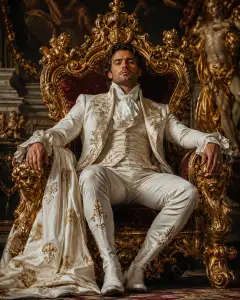
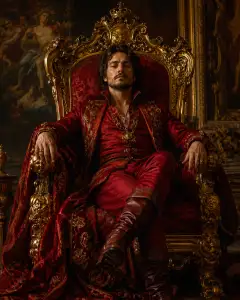
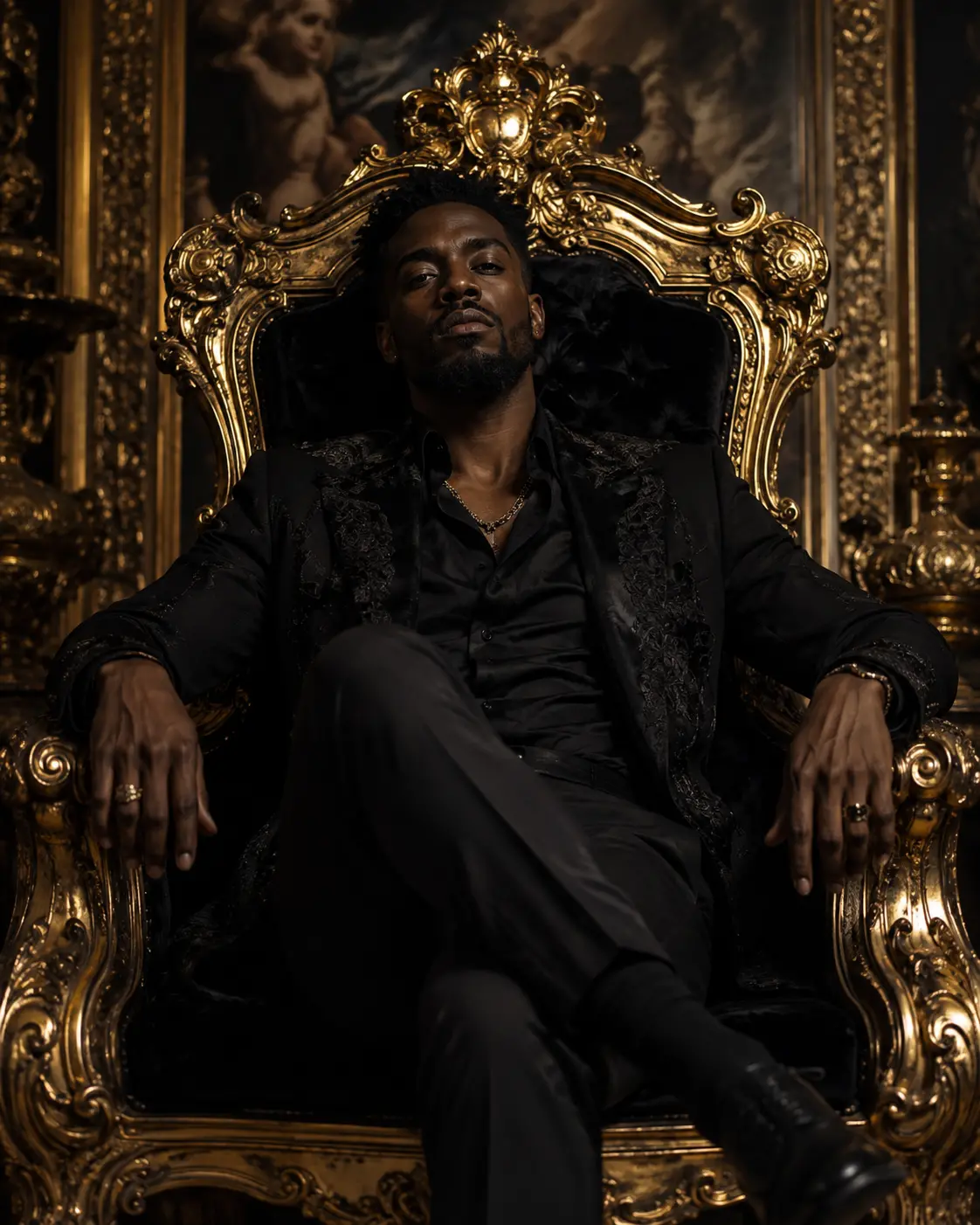
Man in a black on a Baroque throne is a cinematic AI image prompt designed to turn a reference portrait into a commanding luxury fashion composition. It places one recognizable adult man on an enormous antique-gold throne, surrounded by a dark, opulent palace interior. Sophisticated black formalwear, restrained accessories, low-key lighting, and a centered 9:16 composition create the atmosphere of a contemporary editorial portrait fused with an old-master royal painting.
The prompt gives the model detailed direction for identity preservation, pose, wardrobe, throne design, lighting, color grading, and photographic realism. It also addresses common generation problems such as malformed hands, crushed black clothing, generic faces, distracting background figures, and excessive skin smoothing.
This can be used as a ChatGPT image prompt, Gemini image prompt, or adaptable AI image prompt for tools that accept reference images and detailed visual instructions. Results depend on the model’s identity-preservation and photorealistic rendering capabilities, so some refinement may be required.
Best Use Cases
This prompt is especially useful for men who want a premium personal portrait with aristocratic authority rather than a conventional studio background. It suits luxury fashion editorials, formal profile artwork, dramatic social media posts, personal branding, celebration portraits, and cinematic character presentations.
Photographers, designers, stylists, content creators, and creative directors can use it to explore a polished Baroque aesthetic before arranging a physical production. It also works as an AI photo editing prompt when the goal is to retain the person’s recognizable appearance while replacing the setting, wardrobe, pose, and lighting.
The concept is best suited to a vertical display because the throne’s tall crest, the seated pose, and the crossed legs all benefit from the requested 9:16 framing.
How to Customize This Prompt
Keep the identity instructions intact when resemblance matters, but adjust selected creative details to fit the intended use. Change one major element at a time so it is easier to identify which instruction improved or weakened the result.
- Refine the blazer by choosing black velvet for softer highlights or brocade for more visible pattern and texture.
- Adjust accessories by specifying a chain, watch, bracelet, or rings, while keeping them restrained enough to preserve the formal mood.
- Change the crop from nearly full body to three-quarter body if a model struggles to render shoes, crossed legs, and hands together.
- Increase the visibility of the palace for a more narrative portrait, or request a darker, simpler background for stronger focus on the man and throne.
- Modify the balance of warm key light and rim light to emphasize either facial structure or the throne’s gilded carvings.
- Reduce contrast slightly if the black shirt, trousers, and blazer merge into one dark shape.
For a Gemini photo prompt, retain the explicit reference-identity language and clearly state that there must be only one adult man. For other generators, a shorter version may work better, but the essential hierarchy should remain: identity first, then pose and composition, followed by wardrobe, throne, environment, and lighting.
Tips for Better Results
Use a clear reference photo with a visible face, natural skin detail, and minimal obstruction. A front-facing or slightly angled source generally gives the model stronger information about facial structure, hairstyle, and distinctive features. Avoid references with heavy filters if natural pores and realistic skin are important.
- Check the first result for facial resemblance before evaluating minor décor. If identity is weak, reinforce the instruction not to substitute a generic fashion model.
- Inspect both hands, especially fingers resting on the carved armrests. Regenerate or edit locally if fingers are fused, hidden, or anatomically inconsistent.
- Confirm that both forearms look naturally supported and that the crossed-leg pose does not distort the hips, knees, or shoes.
- Ask for lifted shadow detail when the black formalwear becomes muddy. Velvet, embroidery, lapels, stitching, and shirt edges should remain distinguishable.
- Keep the background secondary. Too many paintings, urns, frames, or ornaments can compete with the face and create visual clutter.
- Preserve a slightly low camera angle without making perspective extreme, as excessive distortion can enlarge the legs or throne unnaturally.
- Generate several variations and select the version with the best identity, anatomy, and lighting before applying final refinements.
If using the concept as an AI photo editing prompt, edit problem areas selectively rather than repeatedly rebuilding the full portrait. This helps protect successful facial features, throne details, and fabric textures.
What to Expect
A strong result should show one adult man seated deeply and confidently on a monumental black-and-gold Baroque throne. His face should be sharp and recognizable, his expression calm and powerful, and his visible hands relaxed. Warm directional light should sculpt the face and catch the throne’s aged-gold edges, while controlled shadows retain detail across the black clothing.
The finished portrait should feel symmetrical, refined, mysterious, and professionally photographed, with the subject and throne crisp against a softly receding palace interior. Expect variations in facial accuracy, hand anatomy, embroidery, metallic reflections, and background complexity across different models. The best outputs will balance photorealistic fashion photography with painterly Baroque drama without becoming oversaturated, cluttered, or theatrical.