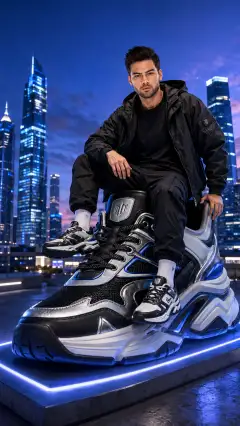

































Prompt Detail
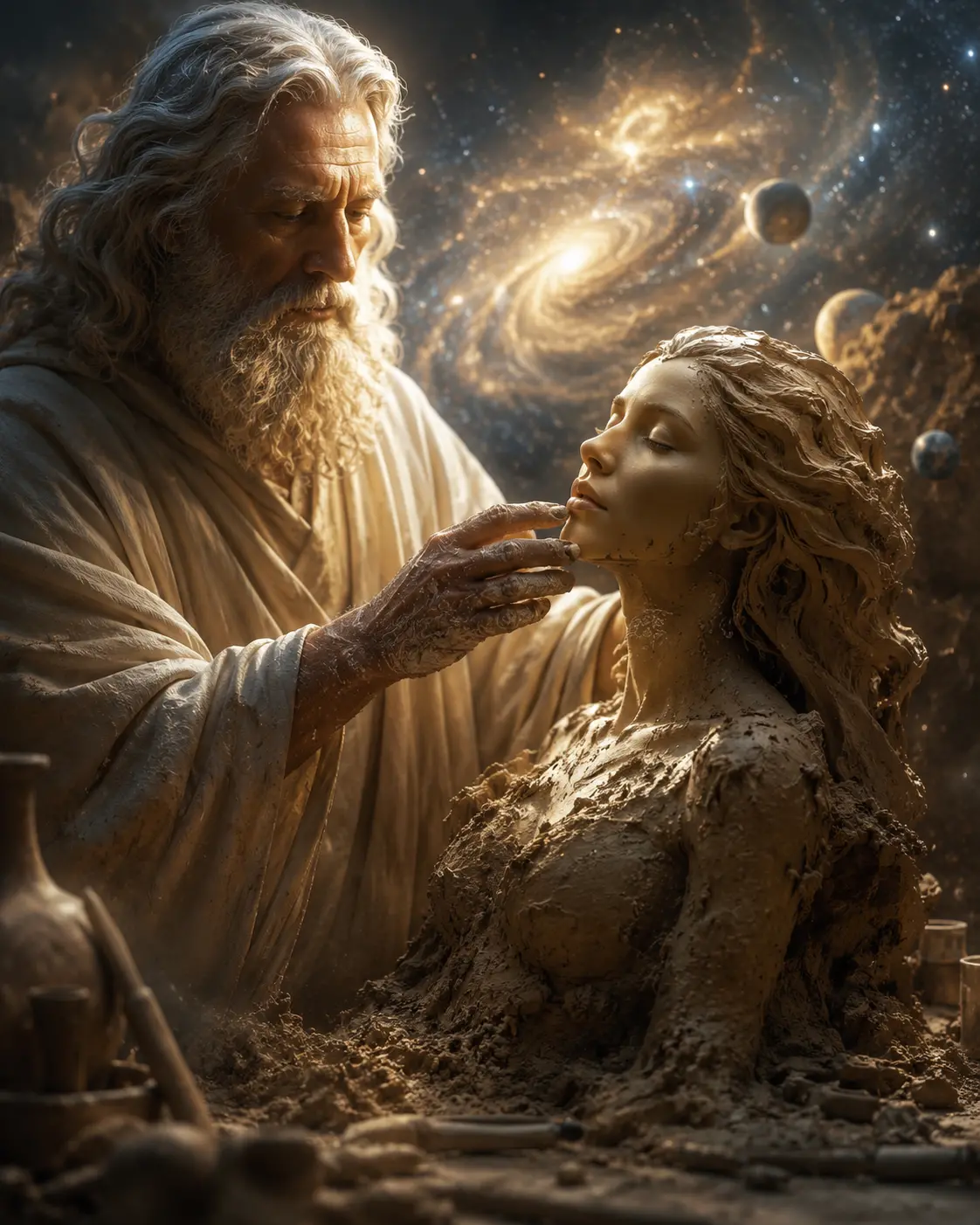
Cinematic Fantasy Portrait of Creator Sculpting Creation from Clay
Copy Prompt
Copy the full prompt text to use it anywhere you like.
Copy was blocked by your browser. Select the prompt text below and copy it manually.
Choose image aspect ratio
Selected:Original keeps the saved wording. Choosing a ratio edits the copied text; also set the output size in your image tool.
Copy was blocked by your browser. Select the prompt text below and copy it manually.
Prompt guide
How to use this AI image prompt
Overview
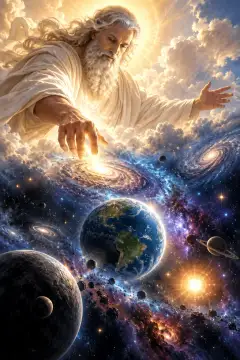
“Creator and Creation” is a cinematic fantasy portrait concept that turns a reference photo into an emotional scene about existence, consciousness, and human creation. It places the referenced person beside an ancient creator figure, with the person appearing to emerge from wet, sculpted clay. The central gesture—clay-covered fingers carefully shaping the person’s chin—gives the composition an intimate and reverent focal point.
This AI image prompt is designed for a vertical 9:16 result with photorealistic faces, believable anatomy, tactile materials, and a premium film-like finish. Warm gold and amber lighting connects an earthy sculptor’s workshop to an immense cosmic background of galaxies, nebulae, planets, and celestial dust. The intended balance is monumental yet personal: the universe establishes scale, while the faces and hand interaction carry the emotion.
It can be used as a ChatGPT image prompt, Gemini image prompt, or Gemini photo prompt when the chosen tool supports reference-image guidance. It also works as an AI photo editing prompt for transforming a portrait while retaining recognizable facial characteristics.
Best Use Cases
This prompt is especially useful for people who want a personalized fantasy portrait rather than a generic character illustration. It suits creative profile art, symbolic portrait projects, cinematic poster-style compositions, fantasy-themed social content, and personal artwork exploring identity or awakening.
Portrait photographers and digital artists can use the concept to reinterpret a clear headshot with elaborate materials and environmental storytelling. It is also suitable for creators seeking a philosophical fantasy portrait prompt with strong visual direction, including controlled lighting, composition, texture, and color grading.
The concept works best with a reference that clearly shows the person’s face, hairstyle, skin tone, and distinctive features. Because the finished composition is vertical and tightly framed, it is particularly well suited to mobile displays, portrait-format posts, and dramatic full-screen artwork.
How to Customize This Prompt
Adjust only a few variables at a time so the model retains the core relationship between the two subjects. Useful customizations include:
- Change the creator’s apparent age, robe condition, or expression while keeping the calm, compassionate mood.
- Increase or reduce the amount of clay covering the referenced person. More visible skin favors identity recognition, while more clay creates a stronger sculptural effect.
- Refine the cosmic setting by emphasizing spiral galaxies, golden nebulae, distant planets, or darker deep-space regions.
- Modify the portrait crop. A tighter head-and-shoulders view strengthens facial emotion, while a wider three-quarter composition reveals more of the workbench and clay body.
- Adjust the palette toward brighter ivory and gold or deeper clay brown, charcoal, and blue-gray starlight.
- Specify whether the expression should feel peaceful, vulnerable, newly conscious, or quietly awe-struck.
For a Gemini image prompt or other reference-based workflow, begin with a clean, front-facing or three-quarter portrait. If resemblance is the priority, avoid asking for major changes to age, hairstyle, ethnicity, face shape, or camera angle.
Tips for Better Results
Identity, hands, and material transitions are the most demanding parts of this scene. Generate several variations and evaluate facial structure before focusing on background detail. A visually impressive galaxy is less important than an accurate face and a believable hand-to-chin interaction.
- Use a sharp reference with even facial visibility and minimal obstruction from glasses, hair, or heavy shadows.
- Keep the referenced face near the emotional focal point and request sharp focus on the eyes, nose, lips, jawline, and creator’s fingers.
- If fingers are malformed, simplify the gesture to one clearly visible hand gently supporting the lower face.
- Ask for gradual clay-to-skin transitions. Hard seams can make the person look masked rather than newly formed.
- Preserve restrained saturation so gold illumination does not turn natural skin or ivory robes unnaturally orange.
- Keep the galaxies softly diffused and secondary; excessive celestial sharpness can compete with the portrait.
- Retain negative instructions covering duplicate people, extra limbs, fused fingers, plastic skin, floating tools, text, logos, and watermarks.
When using this as an AI photo editing prompt, compare each result with the source portrait for face shape, feature spacing, age range, hair texture, and skin tone. Different tools interpret reference strength differently, so incremental revisions are usually more reliable than adding many new concepts at once.
What to Expect
A strong result should resemble a premium fantasy film still: two closely composed figures, expressive sculpting contact, detailed damp clay, weathered robes, and warm celestial rim light. The referenced person should remain recognizable while appearing partially formed from earth, with a peaceful upward tilt and natural skin texture around the face.
Results will vary by model, particularly in identity fidelity, finger anatomy, clay transitions, and the integration of workshop objects with deep space. Some generations may favor spectacle over intimacy or soften facial details because of the luminous background. Clear reference imagery and focused revisions can improve consistency.
The final artwork should feel philosophical, emotional, and photorealistic rather than cartoon-like. Expect cinematic depth, rich shadows, glowing clay highlights, visible cloth and hair detail, and a majestic but unobtrusive universe supporting the central relationship.