































Prompt Detail
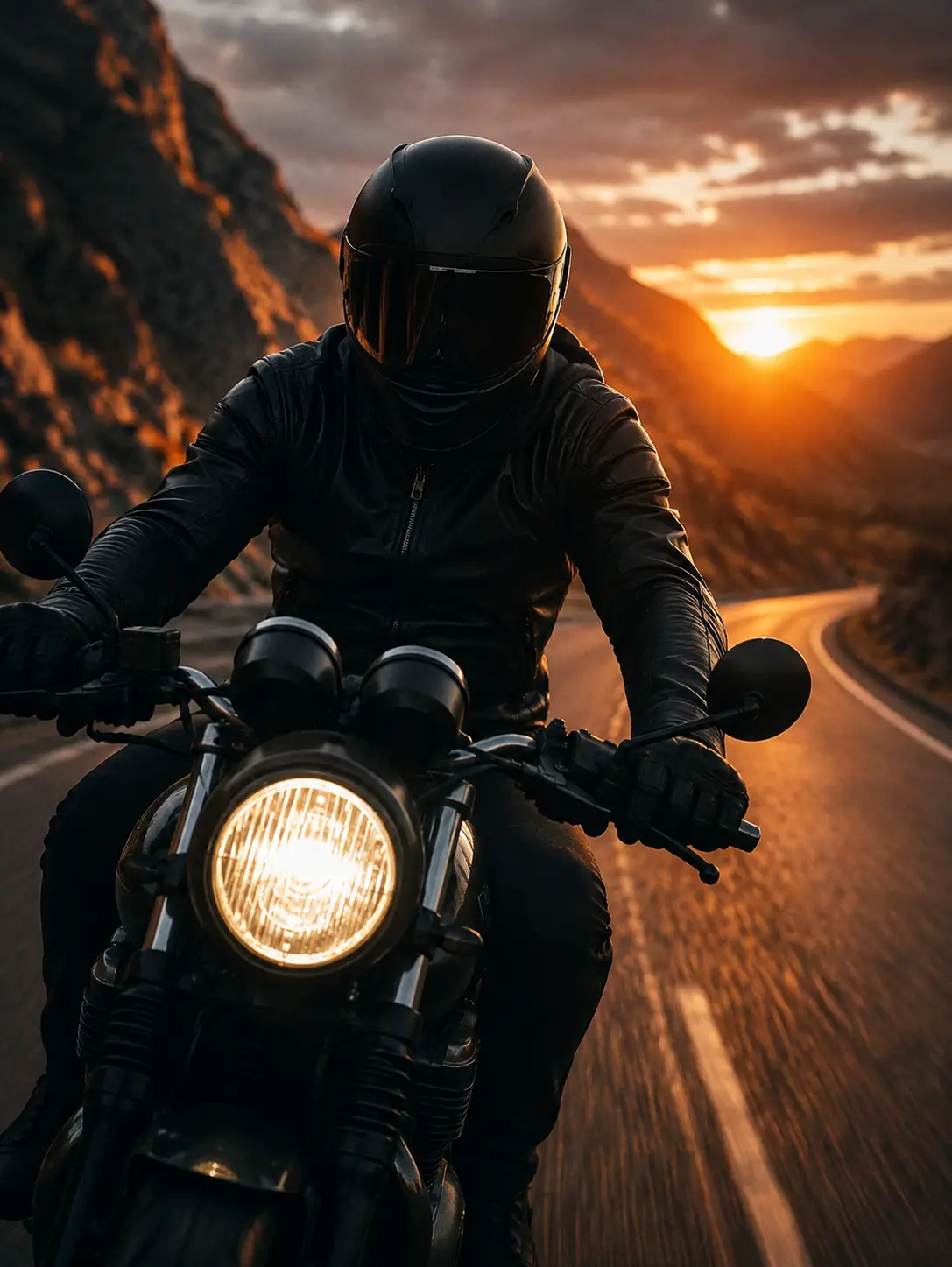
Cinematic Motorcycle Rider Portrait on Mountain Road
Copy Prompt
Copy the full prompt text to use it anywhere you like.
Copy was blocked by your browser. Select the prompt text below and copy it manually.
Choose image aspect ratio
Selected:Original keeps the saved wording. Choosing a ratio edits the copied text; also set the output size in your image tool.
Copy was blocked by your browser. Select the prompt text below and copy it manually.
Prompt guide
How to use this AI image prompt
Overview
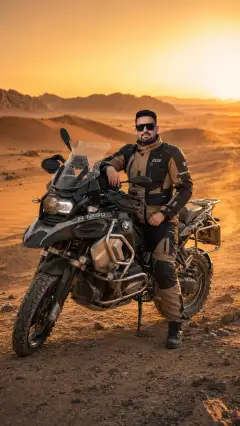
Cinematic Rider is a photorealistic AI image prompt designed to turn a reference portrait into a dramatic motorcycle scene on a winding mountain road. It prioritizes recognizable facial identity while changing the subject’s clothing, pose, environment, lighting, and camera perspective. The intended result is a vertical, commercial-quality portrait with a matte-black retro-modern motorcycle, premium riding gear, golden-hour backlighting, and a strong sense of motion.
This prompt is especially useful when a basic request produces a generic rider, inaccurate motorcycle details, or weak facial resemblance. Its directions cover composition, materials, lighting, motion blur, anatomy, and unwanted artifacts. It can be used as a ChatGPT image prompt, Gemini image prompt, or detailed AI image prompt where reference-image input is supported.
The visual language combines cinematic portrait photography with motorcycle advertising and road-trip storytelling. Matte black and charcoal surfaces contrast with amber, burnt-orange, and deep-gold sunset tones, creating a mood of freedom, confidence, solitude, speed, and adventure.
Best Use Cases
This prompt is well suited to adult motorcycle enthusiasts who want a personalized cinematic portrait based on their own reference photo. It can also support social profile artwork, vertical posters, editorial concepts, character presentations, and dramatic mobile wallpapers.
Creative professionals can use it to explore a premium campaign direction before arranging a motorcycle photo shoot. The low frontal viewpoint, illuminated circular headlight, mountain scenery, and warm rim lighting offer a clear concept for advertising-style compositions. As a Gemini photo prompt, it is particularly relevant when the goal is to retain the rider’s identity while building an entirely new setting around that person.
It can also function as an AI photo editing prompt when transforming an existing portrait into a cinematic riding scene. Use only a photo you have permission to edit, and choose a clear adult reference that represents the intended identity accurately.
How to Customize This Prompt
Begin with a sharp reference image showing the face clearly. Neutral lighting, natural skin texture, visible facial contours, and minimal obstruction generally give the model more useful identity information. Because the final scene includes a full-face helmet and reflective visor, decide how visible the face should remain.
Useful customizations include:
- Adjust the visor from dark reflective to slightly transparent if facial recognition is more important than mystery.
- Change the sunset intensity, cloud density, or atmospheric haze while retaining the warm backlight and cooler shadows.
- Specify a tighter three-quarter portrait for stronger facial emphasis or a wider full-body frame to feature more of the road and motorcycle.
- Refine the jacket’s stitching, padded panels, or leather finish without adding logos or branded elements.
- Increase motion blur for more speed, or reduce it for a polished motorcycle advertisement look.
- Shift the road toward steeper cliffs, broader mountain layers, or a more open horizon while keeping the background uncluttered.
For a consistent cinematic portrait prompt, preserve the core palette of matte black, charcoal, amber, muted rock brown, and sunset gold. Keep the 9:16 format when creating Stories, Reels covers, phone wallpapers, or poster-like compositions.
Tips for Better Results
Identity preservation and helmet visibility can compete with each other. If the generated face is difficult to recognize, request a clearer visor, softer reflections, and more visible eyes, nose, lips, and jawline. If atmosphere matters more, retain the dark visor but expect identity to be communicated less directly.
For stronger generations:
- Use a high-resolution reference with one person and no heavy beauty filter.
- Keep the rider, gloves, handlebars, headlight, and front motorcycle components in sharp focus.
- Ask for motion blur only on the road and distant scenery so the subject does not appear accidentally out of focus.
- Inspect both wheels, suspension, mirrors, handlebars, hand placement, and mechanical connections for warped or floating parts.
- Check the gloves carefully for incorrect finger counts, fused shapes, or unnatural grips.
- Reduce lens flare or saturation if the sunset overwhelms facial, leather, or motorcycle detail.
- Regenerate with simpler scenery if rocks, lane markings, and clouds create visual clutter.
Different tools may interpret reference identity, motion, and motorcycle geometry differently. When using this as a ChatGPT image prompt or Gemini photo prompt, make one controlled revision at a time. For an AI photo editing prompt workflow, first establish facial resemblance and composition, then refine lighting, blur, materials, and color grading.
What to Expect
A successful result should show one confident adult rider centered from a low frontal angle, traveling toward the camera on a detailed matte-black motorcycle. The circular headlight should anchor the foreground, while the winding road, rugged cliffs, mountain layers, dramatic clouds, and low sunset create depth behind the subject.
Expect warm rim light around the helmet and shoulders, cooler shadows across the rider and bike, subtle road blur, and crisp foreground detail. Leather folds, metal surfaces, rubber tires, asphalt texture, and restrained reflections should support a premium film-like finish.
No model can guarantee identical facial or mechanical accuracy on every generation. Review the face, anatomy, hands, visor reflections, wheel alignment, and background people after each result. Small targeted revisions usually provide more control than changing the entire Gemini image prompt or AI image prompt at once.