
























































Prompt Detail
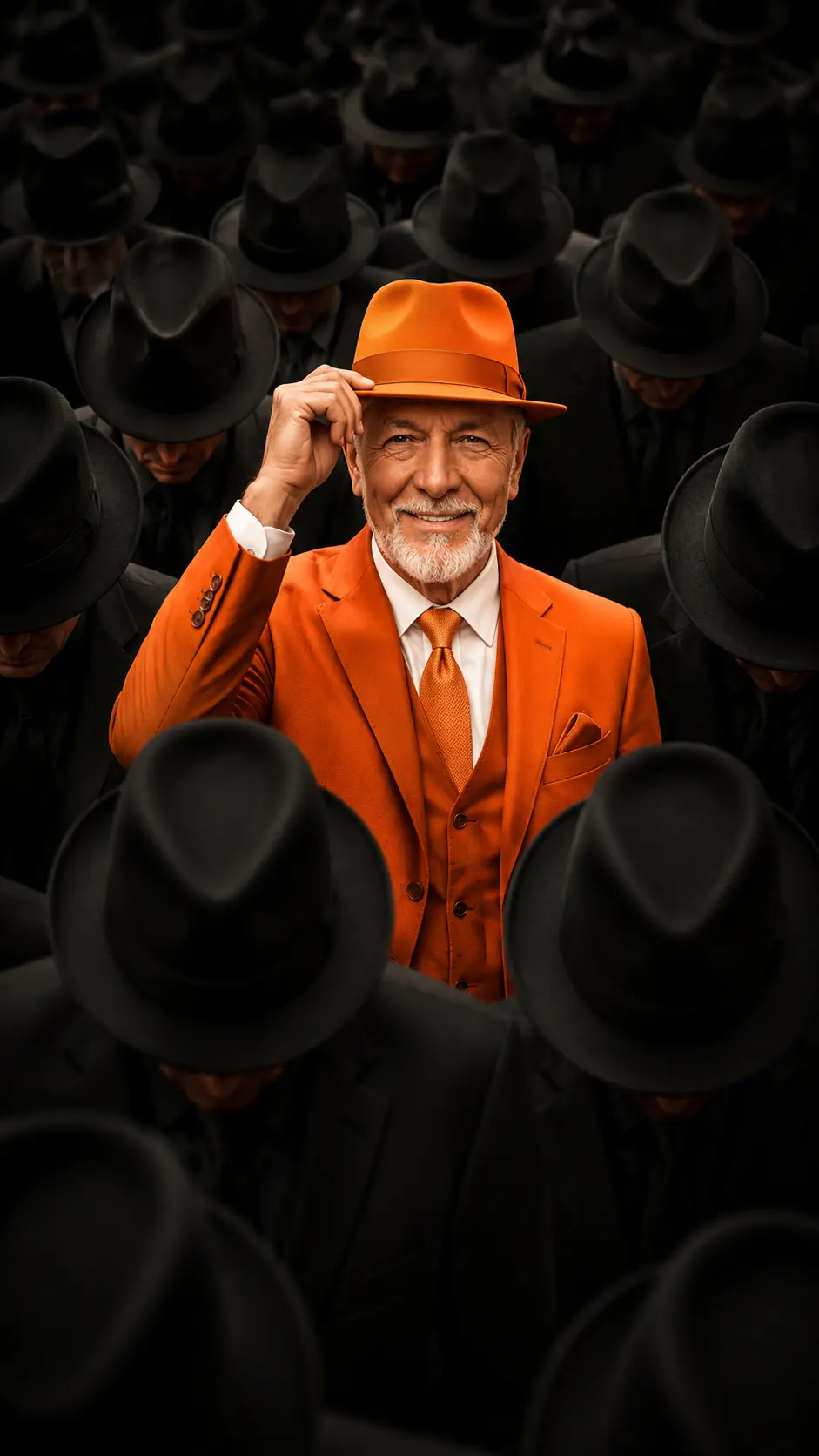
Cinematic Portrait of Confident Man in Orange Suit Amid Black-Clad Crowd
Copy Prompt
Copy the full prompt text to use it anywhere you like.
Copy was blocked by your browser. Select the prompt text below and copy it manually.
Choose image aspect ratio
Selected:Original keeps the saved wording. Choosing a ratio edits the copied text; also set the output size in your image tool.
Copy was blocked by your browser. Select the prompt text below and copy it manually.
Prompt guide
How to use this AI image prompt
Overview
This cinematic portrait prompt is designed to create a polished, ultra-realistic image of a confident man standing apart from a dark, uniform crowd. The central subject wears a vibrant orange tailored suit, tie, white shirt, and matching fedora, while the surrounding men appear in coordinated black clothing. The contrast establishes an immediate visual message of individuality, confidence, luxury, and controlled attitude.
The waist-up 9:16 composition is especially suitable for vertical displays. A centered, eye-level viewpoint and natural 50mm look keep the portrait grounded rather than overly stylized. Dramatic soft front lighting reveals the main subject’s facial details and orange outfit, while subtle top light and shadow allow the anonymous crowd to recede into the background.
This AI image prompt also includes reference-based identity instructions. When an uploaded portrait is supplied, the model should use it only for the central man’s face and identity, preserving recognizable facial features, skin tone, hairstyle, and overall likeness. It works as a ChatGPT image prompt, Gemini image prompt, or Gemini photo prompt, although identity accuracy, fabric detail, and crowd consistency may vary by model.
Best Use Cases
This prompt is well suited to men’s fashion photography, luxury campaign concepts, premium editorial portraits, and cinematic character posters. The orange-and-black palette provides strong visual contrast, making the result useful for social media covers, vertical advertisements, portfolio pieces, music artwork, or personal branding imagery centered on confidence and leadership.
Fashion creators can use it to explore bold tailoring without losing a realistic photographic finish. Portrait photographers may use the concept as a lighting and wardrobe reference before a studio shoot. Designers and creative directors can also test how a colorful hero outfit performs against a repetitive, monochrome background.
As an AI photo editing prompt, it is most effective when the goal is to preserve one person’s identity while transforming wardrobe, staging, lighting, and atmosphere. It is intended for users who want a composed, high-status aesthetic rather than an action scene or casual lifestyle portrait.
How to Customize This Prompt
Adjust one creative variable at a time so the image retains its clear visual hierarchy. Useful customizations include:
- Change the orange suit to burnt orange, tangerine, or a deeper luxury shade while keeping the crowd black.
- Replace the calm expression with a subtle smile or firmer attitude, without requesting exaggerated emotion.
- Modify the crop from waist-up to chest-up for a tighter profile image, while retaining the vertical 9:16 format.
- Increase or reduce the crowd density depending on whether you want a graphic pattern or more visible depth.
- Adjust the lighting toward softer editorial illumination or stronger cinematic contrast while keeping the face naturally exposed.
- Remove the raised hand if hat adjustment causes hand or finger errors.
For identity preservation, use a clear reference with an unobstructed face, natural skin detail, and a hairstyle that is easy to distinguish. If likeness matters more than wardrobe experimentation, keep the face instructions concise and avoid introducing conflicting age, hair, or facial-feature descriptions.
Tips for Better Results
A complex crowd scene can challenge image generators, so precise priorities are important. Keep the central man dominant and treat the surrounding figures as supporting shapes rather than equally detailed portraits.
- State that only the central subject should be sharp, fully visible, and brightly accented.
- Reinforce symmetry if the crowd becomes uneven or leaves distracting gaps.
- Keep shadowed faces subtly natural instead of completely featureless, which helps avoid a surreal appearance.
- Request realistic tailoring, clean lapels, a correctly positioned tie, and believable hat contact.
- Check the raised hand carefully for finger count, grip, scale, and connection to the wrist.
- Regenerate if the orange color spreads onto crowd clothing or if background figures become visually dominant.
- Avoid stacking extra camera effects, intense color grading, or multiple light sources that could weaken the controlled cinematic photography style.
When using this as a Gemini photo prompt or ChatGPT image prompt, compare several generations and select the result with the best facial likeness and crowd geometry. Small prompt revisions generally work better than changing the entire concept after each attempt.
What to Expect
The expected result is a vertical, premium editorial portrait with the central man immediately commanding attention. His vivid orange fashion should separate cleanly from the black-and-grey crowd, while direct eye contact and the hat-adjusting gesture communicate composed confidence. Realistic depth of field should keep his face and clothing detailed as surrounding figures become slightly softer and fade into darkness.
Different models may interpret crowd repetition, facial preservation, hands, and fedora placement differently. Some results may need another generation to correct duplicate faces, inconsistent hats, distorted fingers, or uneven symmetry. A strong final image should remain photographic and grounded, with natural proportions, controlled highlights, no exaggerated features, and no unwanted text or watermark. Overall, this is a focused cinematic portrait AI image prompt for producing bold male fashion imagery with luxury styling and dramatic contrast.