


























Prompt Detail
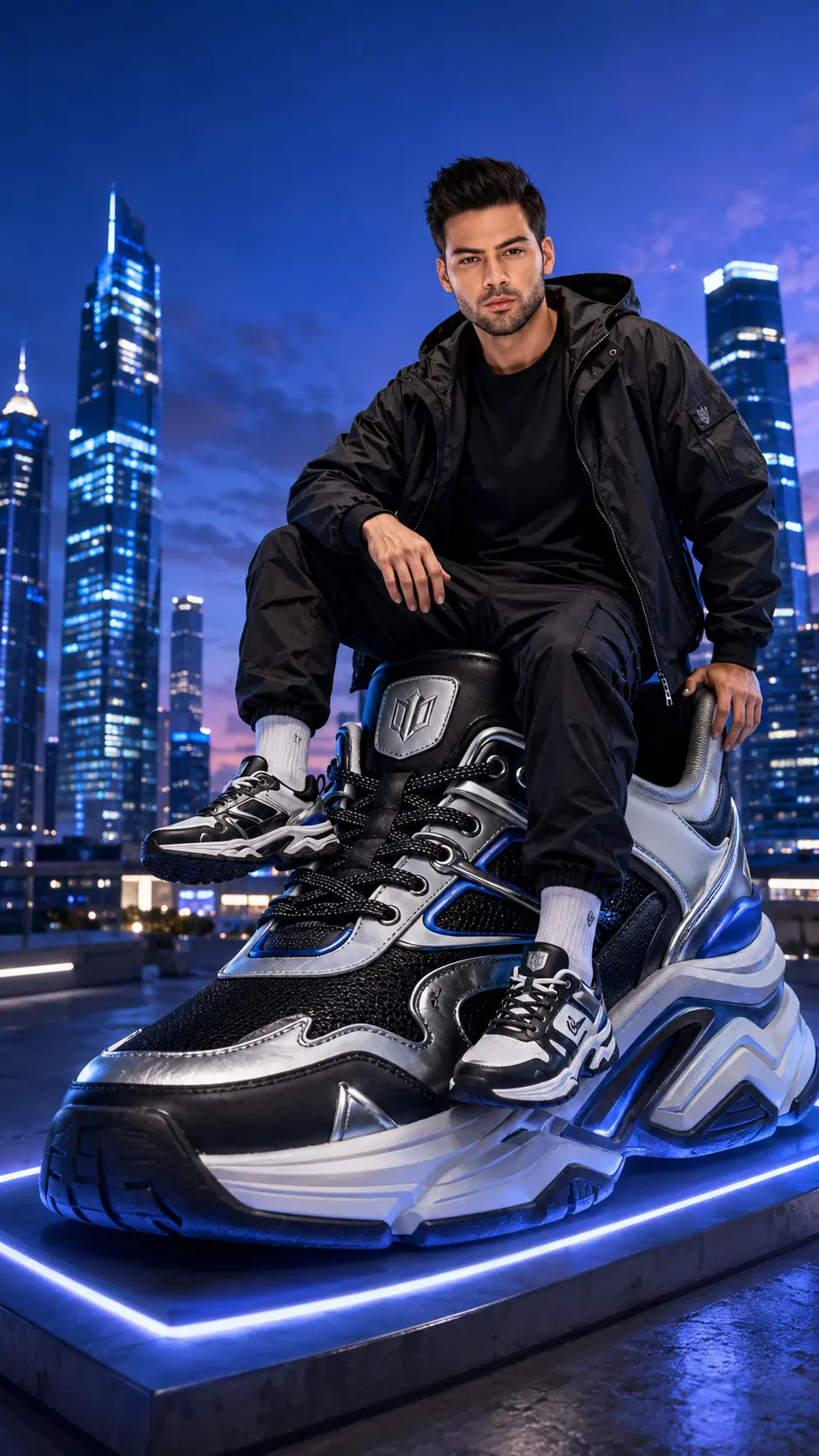
Futuristic Urban Fashion Portrait with Giant Luxury Sneaker at Blue Hour
Copy Prompt
Copy the full prompt text to use it anywhere you like.
Copy was blocked by your browser. Select the prompt text below and copy it manually.
Choose image aspect ratio
Selected:Original keeps the saved wording. Choosing a ratio edits the copied text; also set the output size in your image tool.
Copy was blocked by your browser. Select the prompt text below and copy it manually.
Prompt guide
How to use this AI image prompt
Overview
This prompt creates a vertical, ultra-realistic fashion advertisement in which the person from an uploaded reference photo sits on a car-sized luxury sneaker. Set on a futuristic rooftop at blue hour, the composition combines men’s portrait photography, premium streetwear, cinematic city lighting, and an oversized-product concept.
The prompt is especially detailed about identity preservation. It directs the model to retain the subject’s facial structure, skin tone, hairstyle, age, and recognizable appearance while adapting clothing, expression, pose, and lighting to the campaign. It also emphasizes believable contact between the person and sneaker, including natural weight, clothing folds, shadows, and correct anatomy.
As an AI image prompt, it offers more control than a short request because it defines the subject, product materials, environment, camera angle, composition, and common defects to avoid. It can be used as a ChatGPT image prompt, Gemini image prompt, or Gemini photo prompt when the selected tool supports reference-image uploads and portrait generation.
Best Use Cases
This concept is ideal for streetwear creators, male fashion influencers, photographers, designers, and personal-brand owners who want a dramatic urban campaign visual. Its 9:16 composition is particularly suitable for vertical social posts, Stories, Reels covers, fashion announcements, portfolio concepts, and luxury footwear launch mockups.
It also works well for exploring fictional product advertising without reproducing a real company’s protected logo or recognizable shoe design. The giant sneaker creates an immediate focal point, while the blue-hour skyline and low camera angle give the subject a powerful editorial presence.
For users seeking an AI photo editing prompt, this is best understood as a reference-based creative transformation rather than a simple background replacement. It retains the uploaded person as the identity anchor while constructing a new pose, outfit, product, rooftop, and lighting environment around them.
How to Customize This Prompt
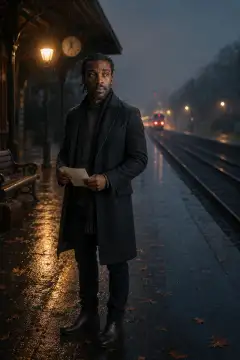
Start with a clear, high-resolution portrait that shows the person’s face without heavy filters, strong motion blur, sunglasses, or severe shadow. A reference with visible hair and natural skin detail gives the model more useful identity information.
Useful adjustments include:
- Change the jacket, T-shirt, or cargo-trouser colors while keeping them coordinated with black, white, silver, and electric-blue sneaker accents.
- Shift the subject’s expression from subtly smiling to calm and serious, while preserving the confident fashion-campaign mood.
- Increase or reduce the amount of skyline visible, but retain enough negative space above the head for a balanced vertical advertisement.
- Refine the fictional branding with a simple emblem or short invented label, avoiding real trademarks and random decorative text.
- Adjust the blue-to-purple sky balance, rooftop haze, LED intensity, or rim light to control how futuristic the night scene feels.
- Specify whether the sneaker’s leather, mesh, metallic eyelets, laces, or sculpted sole should receive the strongest product emphasis.
When adapting this futuristic urban fashion portrait prompt, avoid adding too many competing colors or accessories. The person and oversized sneaker should remain the two clear visual priorities.
Tips for Better Results
Use a source photo with a face angle reasonably compatible with the requested seated portrait. Models may struggle to preserve identity when asked to invent an extreme head rotation or when the reference face occupies only a small part of the upload.
For stronger generations:
- Generate in 9:16 from the beginning rather than cropping a wide result later.
- Keep the full sneaker visible from toe to heel and place its toe nearer the camera to reinforce depth.
- Check that the hips are supported by the raised heel, one foot contacts the midsole, and the hanging leg clears the sneaker naturally.
- Inspect hands, fingers, knees, feet, lace paths, outsole geometry, and panel seams before accepting the image.
- Maintain soft facial key light so blue-hour lighting does not make the skin muddy or obscure recognizable features.
- Ask for restrained reflections and subtle LEDs; excessive neon can turn a premium fashion photograph into a synthetic or cartoon-like scene.
- Regenerate or edit locally if the face is strong but a hand, lace, logo, or material texture is defective.
Different image models interpret reference identity and complex anatomy differently. If the first result prioritizes the giant product over the face, reinforce facial clarity and reduce background complexity. If the subject appears to float, strengthen the instructions for seated weight, contact shadows, and fabric compression.
What to Expect
A successful result should resemble a polished global streetwear campaign: a recognizable male subject seated confidently on a monumental fictional sneaker, photographed from a low angle against a softly blurred futuristic city. Expect crisp leather grain, mesh texture, stitching, metallic highlights, and sculpted cushioning, supported by cinematic blue and purple evening light.
The person should remain sharp and naturally integrated, with subtle wind movement and a calm, self-assured expression. The illuminated platform should ground the product rather than make it float. Results will vary by model, reference quality, and identity-handling capability, so minor anatomy, branding, or sneaker-construction issues may require another generation or targeted correction.