Prompt Detail
Ultra-Realistic Modern Studio Portrait Image Prompt
Copy Prompt
Copy the full prompt text to use it anywhere you like.
Copy was blocked by your browser. Select the prompt text below and copy it manually.
Choose image aspect ratio
Selected:Original keeps the saved wording. Choosing a ratio edits the copied text; also set the output size in your image tool.
Copy was blocked by your browser. Select the prompt text below and copy it manually.
Prompt guide
How to use this AI image prompt
Overview
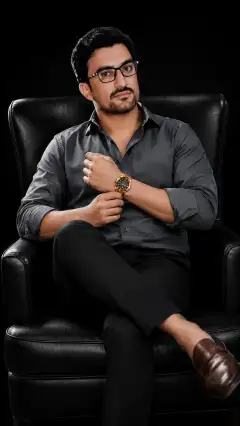
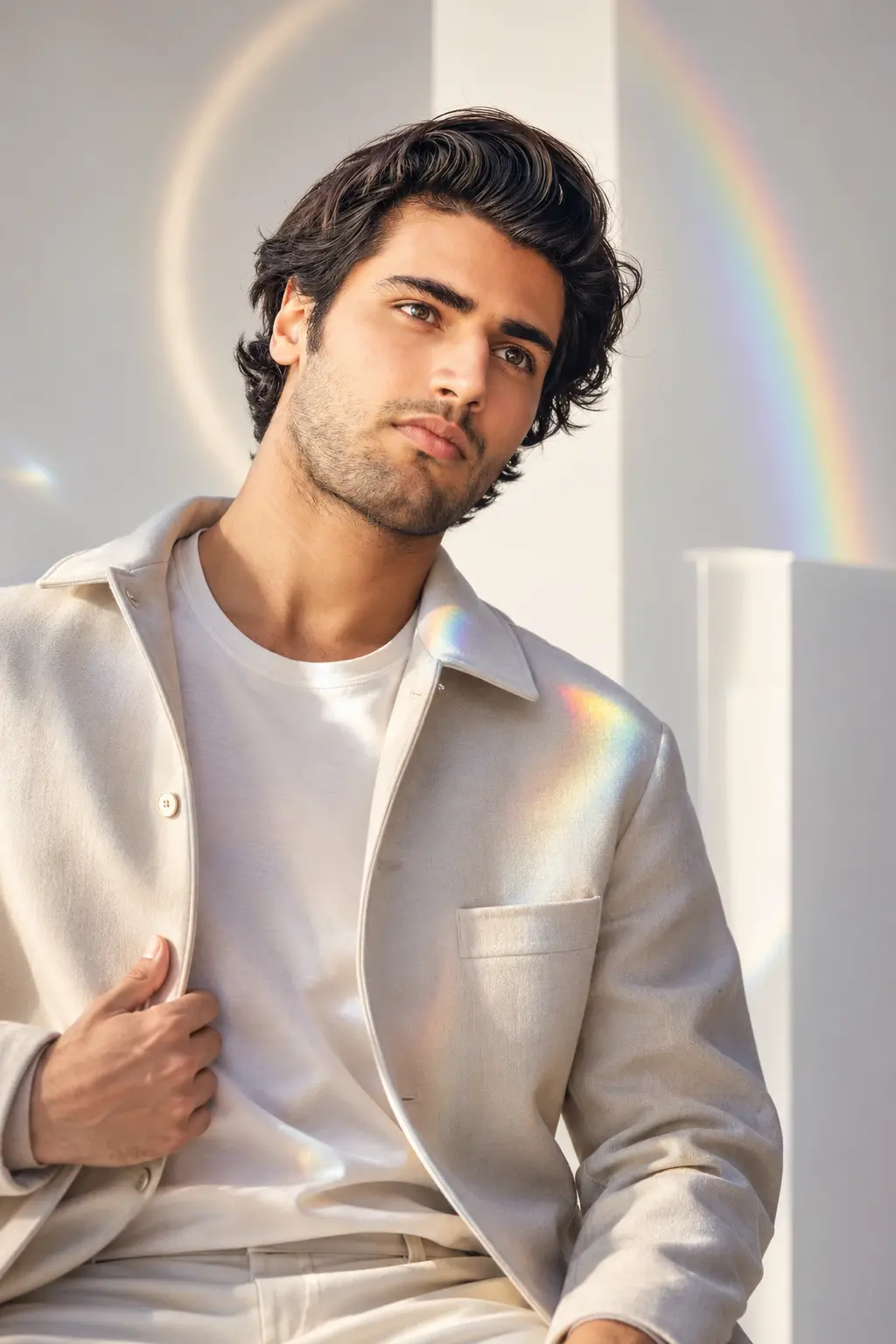
The Ultra-Realistic Modern Studio Portrait Image Prompt is designed to turn a user-supplied photo into a polished vertical fashion portrait while preserving the subject’s recognizable identity. It combines a bright ivory-to-soft-grey studio, natural-looking skin, premium clothing, and restrained prism reflections for a fresh social-media finish.
This AI image prompt is especially useful when you want high-fashion styling without changing the person’s face, complexion, apparent age, or natural character. It directs the model to use soft key, fill, and rim lighting rather than excessive retouching. Rainbow highlights, geometric shadows, acrylic surfaces, and a subtle halo add visual interest while keeping the face clear.
The instructions are gender-neutral and adapt clothing, pose, expression, and accessories to the subject’s apparent age. They also include specific safeguards for younger subjects, such as comfortable clothing, natural proportions, cheerful expressions, and no adult makeup or mature posing. The requested 9:16 composition works well for mobile-first portraits, profile content, and vertical editorial layouts.
Best Use Cases
This prompt suits men, boys, teenagers, adults, and younger children who need a tasteful modern portrait with age-appropriate styling. It can create a fashionable profile picture, Instagram portrait, creator headshot, personal branding visual, editorial cover concept, portfolio image, or clean fashion-campaign look.
Use it as a ChatGPT image prompt when working with an image-capable workflow that accepts a reference photo. It can also function as a Gemini image prompt or Gemini photo prompt when the selected Gemini experience supports uploaded-image generation or editing. For other tools, it provides a detailed blueprint for a studio portrait with trending light, realistic fashion textures, and controlled prism effects.
The concept is particularly effective for subjects wearing simple contemporary outfits. Its clean negative space and strong facial focus also help the portrait remain readable when displayed as a small social thumbnail.
How to Customize This Prompt
Begin with a clear, recent reference photo in which the face is unobstructed. Then adjust only the creative details you genuinely want to control. Avoid adding conflicting directions that ask the model to preserve identity while also changing facial structure, age, or skin tone.
Helpful customizations include:
- Choose three-quarter, full-body, or seated framing depending on the intended platform.
- Select one outfit combination, such as a cream overshirt with tailored trousers or a pastel sweater with clean jeans.
- Name two or three preferred colors from white, beige, lavender, pale green, silver, charcoal, or light denim.
- Decide whether the subject should hold a transparent prism or whether reflections should remain in the background.
- Request a gentle smile, peaceful gaze, or composed editorial expression.
- Specify centered framing for profile use or an off-center composition with negative space for cover text.
- Keep child portraits playful and comfortable, with pastel accents and natural poses.
When adapting this as an AI photo editing prompt, state which existing qualities should remain unchanged, including hairstyle, facial features, complexion, and apparent age. If a tool responds better to shorter instructions, preserve the identity, age-appropriate styling, lighting, anatomy, and 9:16 requirements before trimming decorative details.
Tips for Better Results
Reference-photo quality strongly affects the result. A sharp image with even lighting and a visible face gives the model better information than a compressed screenshot, extreme angle, heavy filter, or partially covered portrait.
For more reliable output:
- Use one primary identity reference unless the platform clearly supports multiple references.
- Keep the prism effect subtle so rainbow bands do not cross the eyes, nose, or mouth.
- Ask for realistic pores, fine facial detail, individual hair strands, fabric folds, and natural catchlights.
- Choose either a three-quarter portrait or full-body composition; requesting several framings at once can weaken composition.
- Keep props minimal. One prism or transparent acrylic cube is usually enough.
- Review hands, fingers, eye alignment, body proportions, glass edges, and reflected light before accepting the image.
- If the face becomes overly smooth, reinforce natural skin texture and professional lighting instead of luminous or flawless skin.
- If highlights appear harsh, request softer rainbow reflections, controlled exposure, and smooth shadow transitions.
- Generate several variations because pose, identity fidelity, and reflection placement can differ between models and runs.
For a shorter creative workflow, retain the prompt’s most important constraints and use later edits to refine clothing or background lighting. This is often more dependable than changing identity, pose, wardrobe, and effects simultaneously.
What to Expect
A successful result should resemble a premium contemporary studio photograph: a clearly recognizable subject, realistic skin, sharp eyes, natural hair detail, refined clothing, and a smooth neutral background. Soft rainbow reflections and a faint halo should support the portrait rather than dominate it. The overall mood will be calm, confident, bright, and highly shareable.
Results from any ChatGPT image prompt, Gemini image prompt, or other generator will vary. Some models may follow identity references closely, while others may alter small facial details, hands, garments, or prism geometry. The prompt reduces those risks but cannot guarantee identical output across platforms.
Expect the 9:16 format to favor vertical social posts and editorial portraits. If the first generation looks artificial, simplify the prism lighting, reduce accessories, and reinforce realistic skin, correct anatomy, an unobstructed face, and age-appropriate styling.